







Alert & Filter Category
Single Print Stock Alerts
New Highs, VWAP, Open and Close Crosses on One Trade
Find stocks the instant a single trade sets a new high or low, crosses the open or yesterday's close, prints above the offer, or reverses a gap, plus stocks trading near VWAP, a pivot, or a set change from the open or close, with Trade Ideas Streaming Alerts (Scanner) and Top Lists (Screeners).
Every setup in this group, in real time.
Free account, just an email. No card. Live access for a limited time. See plans & pricing.
Key point
Searching for a real-time stock scanner or a VWAP stock screener? In Trade Ideas, this is Streaming Alerts: the alerts need no confirmation, so one print is enough to fire them, and the filters are checked on that same print.
Streaming Alerts push each alert the moment it fires, the Single Print filters are checked at that same moment, and Top Lists can sort by them.
Keep in mind
A single print alert can be triggered by one trade; it does not wait for volume or time confirmation. As a result, they often report a move sooner than the confirmed versions, with more noise. The Single Print category also holds the price-position filters measured from one print: distance from VWAP, pivots and the inside market, and change from the open, the close and 5 to 20 days ago.
How Trade Ideas finds it: Crossed Above Open Alert (CAO): by default, the crossed above open alert will appear anytime a stock changes from being down for the day to being up for the day. Distance From VWAP 1 Filter (VWAP): set the min value to 0.001 to see stocks currently trading above their VWAP. Set the max value to -0.001 to see stocks currently trading below their VWAP.
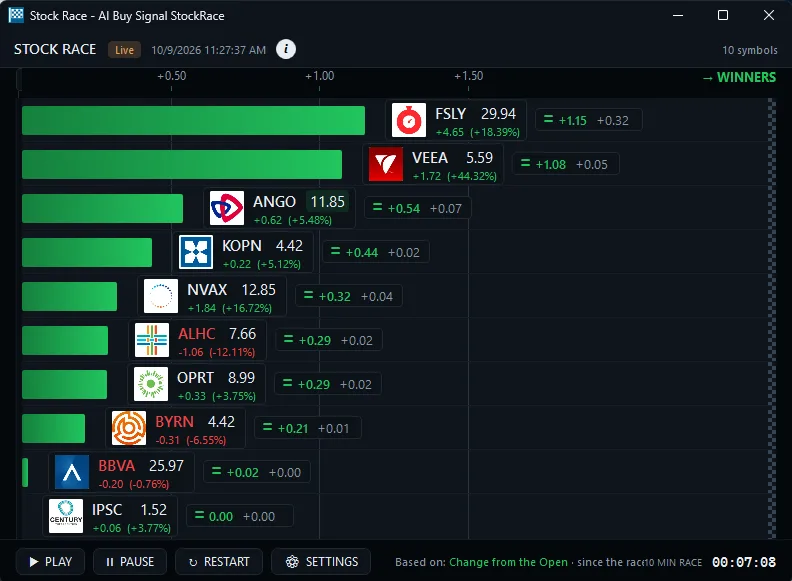
Find single print moves in real time
New highs, new lows, and pre- and post-market highs
Settings
The full set is on the Highs and Lows hub. How Trade Ideas finds it: on the New High Alert (NHP) page, by default the New High alert (NHP) fires on any print above the rest of the day's prices during regular market hours. In the alert's minimum-days box, 1 means above yesterday's high, 7 means a new high for the week, and 365 means only 52-week highs (any value 0 to 366; default 0). For premarket or after-hours highs, use Pre-market Highs (HPRE) and Post-market Highs (HPOST).
Alerts: New High Alert (NHP) New Low Alert (NLP) New High (filtered) Alert (NHPF) New Low (filtered) Alert (NLPF) Pre-market Highs Alert (HPRE) Pre-market Lows Alert (LPRE) Post-market Highs Alert (HPOST) Post-market Lows Alert (LPOST)
Stocks crossing the open or yesterday's close
Turning green or red for the day. Find red to green stocks as they cross above today's open. CAO fires on the crossing print. Live in Trade Ideas Streaming Alerts.
Alerts: Crossed Above Open Alert (CAO) Crossed Below Open Alert (CBO) Crossed Above Close Alert (CAC) Crossed Below Close Alert (CBC)
Stocks above or below VWAP (filters)
Distance from VWAP and the VWAP values. Find stocks trading above or below VWAP right now, in percent. A min of 0.001 shows stocks above it; a max of -0.001 shows stocks below it.
Filters: Distance From VWAP 1 Filter (VWAP) Distance From VWAP 2 Filter (DVWAP2) Distance From VWAP 3 Filter (DVWAP3) Distance From VWAP 4 Filter (DVWAP4) Distance From VWAP 5 Filter (DVWAP5) VWAP 1 Filter (VWAP1) VWAP 2 Filter (VWAP2) VWAP 3 Filter (VWAP3) VWAP 4 Filter (VWAP4) VWAP 5 Filter (VWAP5) VWAP Stop Filter (VWAPStop)
Stocks near a pivot point (filters)
Distance from the pivot and R1, R2, S1, S2. How Trade Ideas finds it: on the Distance From Pivot Filter (Pivot) page, to find stocks near their pivot point, set the min above pivot to -0.25% and the max above pivot to 0.25%.
Filters: Distance From Pivot R2 Filter (PivotR2) Distance From Pivot R1 Filter (PivotR1) Distance From Pivot Filter (Pivot) Distance From Pivot S1 Filter (PivotS1) Distance From Pivot S2 Filter (PivotS2)
Stocks up or down from the close, the open or 5 to 20 days ago
Change filters in dollars, percent or ATR units. How Trade Ideas finds it: on the Change From The Close (%) Filter (FCP) page, set the min value to 3 to see stocks which are up at least 3% from the previous close.
Filters: Change From The Close ($) Filter (FCD) Change From The Close (%) Filter (FCP) Change From The Close (Bars) Filter (FCR) Change From The Open ($) Filter (FOD) Change From The Open (%) Filter (FOP) Change From The Open (Bars) Filter (FOR) Change From The Open (% of ATR) Filter (FOW) Change (5 day, $) Filter (U5DD) Change (5 day, %) Filter (U5DP) Change (10 day, $) Filter (U10DD) Change (10 day, %) Filter (U10DP) Change (20 day, $) Filter (U20DD) Change (20 day, %) Filter (U20DP)
Gap reversals and false gaps
Gaps that fill or fail. How Trade Ideas finds it: on the False Gap Up Retracement Alert (FGUR) page, by default, the false gap up retracement alert occurs when the price continues above the open by a sufficient margin for the first time.
Alerts: Gap Down Reversal Alert (GDR) Gap Up Reversal Alert (GUR) False Gap Up Retracement Alert (FGUR) False Gap Down Retracement Alert (FGDR)
Prints above the offer and block trades
Trading above, trading below and block trades. How Trade Ideas finds it: on the Block Trade Alert (BP) page, by default, the block trade alert will appear when a single trade of 20,000 or more shares was reported on a stock.
Alerts: Trading Above Alert (TRA) Trading Below Alert (TRB) Trading Above Specialist Alert (TRAS) Trading Below Specialist Alert (TRBS) Block Trade Alert (BP)
All 168 Single Print alerts and filters
Single Print alerts
New high
- New High Alert (NHP): Find stocks making new highs today or new 52-week highs as they print. The New High alert (NHP) fires on each print above the day's high. Set 365 for 52-week.
New low
- New Low Alert (NLP): Find stocks making new lows today or new 52-week lows as they print. The New Low alert (NLP) fires on each print below the day's low. Set 365 for 52-week lows.
New high (filtered)
- New High (filtered) Alert (NHPF): Find stocks making new highs without alert spam. New High (filtered) NHPF shows about one alert per stock per minute unless the move is bigger than expected.
New low (filtered)
- New Low (filtered) Alert (NLPF): Find stocks making new lows without alert spam. New Low (filtered) NLPF shows about one alert per stock per minute unless the move is bigger than expected.
Pre-market highs
- Pre-market Highs Alert (HPRE): Find stocks making new premarket highs before the open, as they print. Pre-market Highs (HPRE) fires when price tops its earlier premarket high.
Pre-market lows
- Pre-market Lows Alert (LPRE): Find stocks making new premarket lows before the open, as they print. Pre-market Lows (LPRE) fires when price drops below its earlier premarket low.
Post-market highs
- Post-market Highs Alert (HPOST): Find stocks making new after-hours highs, as they print. Post-market Highs (HPOST) fires when price tops its earlier post-market high.
Post-market lows
- Post-market Lows Alert (LPOST): Find stocks making new after-hours lows, as they print. Post-market Lows (LPOST) fires when price drops below its earlier post-market low.
75% pullback from lows (Close)
- 75% Pullback From Lows (Close) Alert (PFL75C): Find stocks pulling back 75% from today's low toward yesterday's close, print by print. The PFL75C alert checks every print and reports as fast as possible.
25% pullback from lows (Close)
- 25% Pullback From Lows (Close) Alert (PFL25C): Find stocks pulling back 25% from today's low toward yesterday's close, print by print. The PFL25C alert checks every print and reports as fast as possible.
75% pullback from highs (Close)
- 75% Pullback From Highs (Close) Alert (PFH75C): Find stocks pulling back 75% from today's high toward yesterday's close, print by print. The PFH75C alert checks every print and reports as fast as possible.
25% pullback from highs (Close)
- 25% Pullback From Highs (Close) Alert (PFH25C): Find stocks pulling back 25% from today's high toward yesterday's close, print by print. The PFH25C alert checks every print and reports as fast as possible.
75% pullback from lows (Open)
- 75% Pullback From Lows (Open) Alert (PFL75O): Find stocks pulling back 75% from today's low toward today's open, print by print. The PFL75O alert checks every print and reports as fast as possible.
25% pullback from lows (Open)
- 25% Pullback From Lows (Open) Alert (PFL25O): Find stocks pulling back 25% from today's low toward today's open, print by print. The PFL25O alert checks every print and reports as fast as possible.
75% pullback from highs (Open)
- 75% Pullback From Highs (Open) Alert (PFH75O): Find stocks pulling back 75% from today's high toward today's open, print by print. The PFH75O alert checks every print and reports as fast as possible.
25% pullback from highs (Open)
- 25% Pullback From Highs (Open) Alert (PFH25O): Find stocks pulling back 25% from today's high toward today's open, print by print. The PFH25O alert checks every print and reports as fast as possible.
75% pullback from lows
- 75% Pullback From Lows Alert (PFL75): Find stocks pulling back 75% from today's low toward the open or prior close, print by print. Live in Trade Ideas Streaming Alerts.
25% pullback from lows
- 25% Pullback From Lows Alert (PFL25): Find stocks pulling back 25% from today's low toward the open or prior close, print by print. Live in Trade Ideas Streaming Alerts.
75% pullback from highs
- 75% Pullback From Highs Alert (PFH75): Find stocks pulling back 75% from today's high toward the open or prior close, print by print. Live in Trade Ideas Streaming Alerts.
25% pullback from highs
- 25% Pullback From Highs Alert (PFH25): Find stocks pulling back 25% from today's high toward the open or prior close, print by print. Live in Trade Ideas Streaming Alerts.
Check mark
- Check Mark Alert (CMU): Find stocks forming a check mark continuation pattern as it completes: a push, a pullback, then new highs. Live in Trade Ideas Streaming Alerts.
Inverted check mark
- Inverted Check Mark Alert (CMD): Find stocks forming an inverted check mark as it completes: a drop, a bounce, then new lows. The Inverted Check Mark alert (CMD) uses daily highs and lows.
% up for the day
- % Up For The Day Alert (PUD): Find stocks up 3%, 5%, 10% or more today, alerted as each level is reached. % Up For The Day (PUD) measures from the prior close using official prints.
% down for the day
- % Down For The Day Alert (PDD): Find stocks down 3%, 5%, 10% or more today, alerted as each level is reached. % Down For The Day (PDD) measures from the prior close using official prints.
Standard deviation breakout
- Standard Deviation Breakout Alert (BBU): Find stocks breaking out 1+ standard deviations above the prior close, as it happens. Live in Trade Ideas Streaming Alerts.
Standard deviation breakdown
- Standard Deviation Breakdown Alert (BBD): Find stocks breaking down 1+ standard deviations below the prior close, as it happens. Standard Deviation Breakdown (BBD) scales to each stock's volatility.
Crossed daily highs resistance
- Crossed Daily Highs Resistance Alert (CDHR): Find stocks breaking above prior daily highs (5-day, 10-day, multi-day highs) as it happens. CDHR fires only when the number of days in the new high changes.
Crossed daily lows support
- Crossed Daily Lows Support Alert (CDLS): Find stocks breaking below prior daily lows (5-day, 10-day, multi-day lows) as it happens. CDLS fires only when the number of days in the new low changes.
Trading above
- Trading Above Alert (TRA): Find stocks where buyers are paying above the ask, a leading sign of a fast move. Trading Above (TRA) counts repeat prints above the offer as they hit the tape.
Trading below
- Trading Below Alert (TRB): Find stocks where sellers are hitting below the bid, a leading sign of a fast drop. Trading Below (TRB) counts repeat prints under the bid as they hit the tape.
Trading above specialist
- Trading Above Specialist Alert (TRAS): Find NYSE and AMEX stocks printing above the specialist's offer in regular hours. Trading Above Specialist (TRAS) is a subset of Trading Above.
Trading below specialist
- Trading Below Specialist Alert (TRBS): Find NYSE and AMEX stocks printing below the specialist's bid in regular hours. Trading Below Specialist (TRBS) is a subset of Trading Below.
Crossed above open
- Crossed Above Open Alert (CAO): Find red to green stocks as they cross above today's open. CAO fires on the crossing print. Live in Trade Ideas Streaming Alerts.
Crossed below open
- Crossed Below Open Alert (CBO): Find green to red stocks as they cross below today's open. CBO fires on the crossing print. Live in Trade Ideas Streaming Alerts.
Crossed above close
- Crossed Above Close Alert (CAC): Find red to green stocks as they cross above yesterday's close. CAC fires on the crossing print. Live in Trade Ideas Streaming Alerts.
Crossed below close
- Crossed Below Close Alert (CBC): Find green to red stocks as they cross below yesterday's close. CBC fires on the crossing print. Live in Trade Ideas Streaming Alerts.
Running up now
- Running Up Now Alert (RUN): Find stocks running up fast, as the move happens. RUN flags moves much faster than expected for each stock's volatility, with no confirmation delay.
Running down now
- Running Down Now Alert (RDN): Find stocks running down fast, as the move happens. RDN flags moves much faster than expected for each stock's volatility, with no confirmation delay.
Gap down reversal
- Gap Down Reversal Alert (GDR): Find gap down stocks reversing through yesterday's close, as it happens. Gap Down Reversal (GDR) fires on the first cross since the open and shows gap size.
Gap up reversal
- Gap Up Reversal Alert (GUR): Find gap up stocks reversing through yesterday's close, as it happens. Gap Up Reversal (GUR) fires on the first cross since the open and shows gap size.
False gap up retracement
- False Gap Up Retracement Alert (FGUR): Find gap up stocks that partly fill, then continue higher, as it happens. FGUR usually fires no more than once per stock per day.
False gap down retracement
- False Gap Down Retracement Alert (FGDR): Find gap down stocks that partly fill, then continue lower, as it happens. FGDR usually fires no more than once per stock per day.
Consolidation breakout (4)
- 5 Minute Consolidation Breakout Alert (CBO5): Find 5-minute consolidation breakouts as they happen. CBO5 fires when price leaves the range on the 5 minute chart, with more alerts if the move keeps going.
- 10 Minute Consolidation Breakout Alert (CBO10): Find 10-minute consolidation breakouts as they happen. CBO10 fires when price leaves the range on the 10 minute chart, with more alerts if the move keeps going.
- 15 Minute Consolidation Breakout Alert (CBO15): Find 15-minute consolidation breakouts as they happen. CBO15 fires when price leaves the range on the 15 minute chart, with more alerts if the move keeps going.
- 30 Minute Consolidation Breakout Alert (CBO30): Find 30-minute consolidation breakouts as they happen. CBO30 fires when price leaves the range on the 30 minute chart, with more alerts if the move keeps going.
Consolidation breakdown (4)
- 5 Minute Consolidation Breakdown Alert (CBD5): Find 5-minute consolidation breakdowns as they happen. CBD5 fires when price leaves the range on the 5 minute chart, with more alerts if the move keeps going.
- 10 Minute Consolidation Breakdown Alert (CBD10): Find 10-minute consolidation breakdowns as they happen. CBD10 fires when price leaves the range on the 10 minute chart. Live in Trade Ideas Streaming Alerts.
- 15 Minute Consolidation Breakdown Alert (CBD15): Find 15-minute consolidation breakdowns as they happen. CBD15 fires when price leaves the range on the 15 minute chart. Live in Trade Ideas Streaming Alerts.
- 30 Minute Consolidation Breakdown Alert (CBD30): Find 30-minute consolidation breakdowns as they happen. CBD30 fires when price leaves the range on the 30 minute chart. Live in Trade Ideas Streaming Alerts.
Block trade
- Block Trade Alert (BP): Find block trades as they print: single trades of 20,000+ shares, often institutional. The Block Trade alert (BP) reports each qualifying print.
Opening range breakout (7)
- 1 Minute Opening Range Breakout Alert (ORU1): Find 1-minute opening range breakouts (ORB) as they happen. ORU1 fires the first time price tops the first 1 minute candle's high.
- 2 Minute Opening Range Breakout Alert (ORU2): Find 2-minute opening range breakouts (ORB) as they happen. ORU2 fires the first time price tops the first 2 minute candle's high.
- 5 Minute Opening Range Breakout Alert (ORU5): Find 5-minute opening range breakouts (ORB) as they happen. ORU5 fires the first time price tops the first 5 minute candle's high.
- 10 Minute Opening Range Breakout Alert (ORU10): Find 10-minute opening range breakouts (ORB) as they happen. ORU10 fires the first time price tops the first 10 minute candle's high.
- 15 Minute Opening Range Breakout Alert (ORU15): Find 15-minute opening range breakouts (ORB) as they happen. ORU15 fires the first time price tops the first 15 minute candle's high.
- 30 Minute Opening Range Breakout Alert (ORU30): Find 30-minute opening range breakouts (ORB) as they happen. ORU30 fires the first time price tops the first 30 minute candle's high.
- 60 Minute Opening Range Breakout Alert (ORU60): Find 60-minute opening range breakouts (ORB) as they happen. ORU60 fires the first time price tops the first 60 minute candle's high.
Opening range breakdown (7)
- 1 Minute Opening Range Breakdown Alert (ORD1): Find 1-minute opening range breakdowns (ORB) as they happen. ORD1 fires the first time price breaks the first 1 minute candle's low.
- 2 Minute Opening Range Breakdown Alert (ORD2): Find 2-minute opening range breakdowns (ORB) as they happen. ORD2 fires the first time price breaks the first 2 minute candle's low.
- 5 Minute Opening Range Breakdown Alert (ORD5): Find 5-minute opening range breakdowns (ORB) as they happen. ORD5 fires the first time price breaks the first 5 minute candle's low.
- 10 Minute Opening Range Breakdown Alert (ORD10): Find 10-minute opening range breakdowns (ORB) as they happen. ORD10 fires the first time price breaks the first 10 minute candle's low.
- 15 Minute Opening Range Breakdown Alert (ORD15): Find 15-minute opening range breakdowns (ORB) as they happen. ORD15 fires the first time price breaks the first 15 minute candle's low.
- 30 Minute Opening Range Breakdown Alert (ORD30): Find 30-minute opening range breakdowns (ORB) as they happen. ORD30 fires the first time price breaks the first 30 minute candle's low.
- 60 Minute Opening Range Breakdown Alert (ORD60): Find 60-minute opening range breakdowns (ORB) as they happen. ORD60 fires the first time price breaks the first 60 minute candle's low.
Fibonacci 38% buy signal
- Fibonacci 38% Buy Signal Alert (FU38): Find stocks hitting the 38% Fibonacci retracement level as it happens. FU38 reports when price crosses the 38% level going down (buy).
Fibonacci 38% sell signal
- Fibonacci 38% Sell Signal Alert (FD38): Find stocks hitting the 38% Fibonacci retracement level as it happens. FD38 reports when price crosses the 38% level going up (sell).
Fibonacci 50% buy signal
- Fibonacci 50% Buy Signal Alert (FU50): Find stocks hitting the 50% Fibonacci retracement level as it happens. FU50 reports when price crosses the 50% level going down (buy).
Fibonacci 50% sell signal
- Fibonacci 50% Sell Signal Alert (FD50): Find stocks hitting the 50% Fibonacci retracement level as it happens. FD50 reports when price crosses the 50% level going up (sell).
Fibonacci 62% buy signal
- Fibonacci 62% Buy Signal Alert (FU62): Find stocks hitting the 62% Fibonacci retracement level as it happens. FU62 reports when price crosses the 62% level going down (buy).
Fibonacci 62% sell signal
- Fibonacci 62% Sell Signal Alert (FD62): Find stocks hitting the 62% Fibonacci retracement level as it happens. FD62 reports when price crosses the 62% level going up (sell).
Fibonacci 79% buy signal
- Fibonacci 79% Buy Signal Alert (FU79): Find stocks hitting the 79% Fibonacci retracement level as it happens. FU79 reports when price crosses the 79% level going down (buy).
Fibonacci 79% sell signal
- Fibonacci 79% Sell Signal Alert (FD79): Find stocks hitting the 79% Fibonacci retracement level as it happens. FD79 reports when price crosses the 79% level going up (sell).
MACD crossed above signal (5)
- 5 Minute MACD Crossed Above Signal Alert (MDAS5): Find stocks with a 5-minute MACD cross above the signal line as it happens. MDAS5 watches the 5 minute chart so you see the crossover in the session, not after.
- 10 Minute MACD Crossed Above Signal Alert (MDAS10): Find stocks with a 10-minute MACD cross above the signal line as it happens. MDAS10 watches the 10 minute chart. Live in Trade Ideas Streaming Alerts.
- 15 Minute MACD Crossed Above Signal Alert (MDAS15): Find stocks with a 15-minute MACD cross above the signal line as it happens. MDAS15 watches the 15 minute chart. Live in Trade Ideas Streaming Alerts.
- 30 Minute MACD Crossed Above Signal Alert (MDAS30): Find stocks with a 30-minute MACD cross above the signal line as it happens. MDAS30 watches the 30 minute chart. Live in Trade Ideas Streaming Alerts.
- 60 Minute MACD Crossed Above Signal Alert (MDAS60): Find stocks with a 60-minute MACD cross above the signal line as it happens. MDAS60 watches the 60 minute chart. Live in Trade Ideas Streaming Alerts.
MACD crossed below signal (5)
- 5 Minute MACD Crossed Below Signal Alert (MDBS5): Find stocks with a 5-minute MACD cross below the signal line as it happens. MDBS5 watches the 5 minute chart so you see the crossover in the session, not after.
- 10 Minute MACD Crossed Below Signal Alert (MDBS10): Find stocks with a 10-minute MACD cross below the signal line as it happens. MDBS10 watches the 10 minute chart. Live in Trade Ideas Streaming Alerts.
- 15 Minute MACD Crossed Below Signal Alert (MDBS15): Find stocks with a 15-minute MACD cross below the signal line as it happens. MDBS15 watches the 15 minute chart. Live in Trade Ideas Streaming Alerts.
- 30 Minute MACD Crossed Below Signal Alert (MDBS30): Find stocks with a 30-minute MACD cross below the signal line as it happens. MDBS30 watches the 30 minute chart. Live in Trade Ideas Streaming Alerts.
- 60 Minute MACD Crossed Below Signal Alert (MDBS60): Find stocks with a 60-minute MACD cross below the signal line as it happens. MDBS60 watches the 60 minute chart. Live in Trade Ideas Streaming Alerts.
MACD crossed above zero (5)
- 5 Minute MACD Crossed Above Zero Alert (MDAZ5): Find stocks with a 5-minute MACD cross above zero as it happens. MDAZ5 watches the 5 minute chart so you see the crossover in the session, not after.
- 10 Minute MACD Crossed Above Zero Alert (MDAZ10): Find stocks with a 10-minute MACD cross above zero as it happens. MDAZ10 watches the 10 minute chart so you see the crossover in the session, not after.
- 15 Minute MACD Crossed Above Zero Alert (MDAZ15): Find stocks with a 15-minute MACD cross above zero as it happens. MDAZ15 watches the 15 minute chart so you see the crossover in the session, not after.
- 30 Minute MACD Crossed Above Zero Alert (MDAZ30): Find stocks with a 30-minute MACD cross above zero as it happens. MDAZ30 watches the 30 minute chart so you see the crossover in the session, not after.
- 60 Minute MACD Crossed Above Zero Alert (MDAZ60): Find stocks with a 60-minute MACD cross above zero as it happens. MDAZ60 watches the 60 minute chart so you see the crossover in the session, not after.
MACD crossed below zero (5)
- 5 Minute MACD Crossed Below Zero Alert (MDBZ5): Find stocks with a 5-minute MACD cross below zero as it happens. MDBZ5 watches the 5 minute chart so you see the crossover in the session, not after.
- 10 Minute MACD Crossed Below Zero Alert (MDBZ10): Find stocks with a 10-minute MACD cross below zero as it happens. MDBZ10 watches the 10 minute chart so you see the crossover in the session, not after.
- 15 Minute MACD Crossed Below Zero Alert (MDBZ15): Find stocks with a 15-minute MACD cross below zero as it happens. MDBZ15 watches the 15 minute chart so you see the crossover in the session, not after.
- 30 Minute MACD Crossed Below Zero Alert (MDBZ30): Find stocks with a 30-minute MACD cross below zero as it happens. MDBZ30 watches the 30 minute chart so you see the crossover in the session, not after.
- 60 Minute MACD Crossed Below Zero Alert (MDBZ60): Find stocks with a 60-minute MACD cross below zero as it happens. MDBZ60 watches the 60 minute chart so you see the crossover in the session, not after.
Stochastic crossed above 20 (3)
- 5 Minute Stochastic Crossed Above 20 Alert (SC20_5): Find stocks crossing above 20 (leaving oversold) on the 5-minute stochastic, as it happens. SC20_5 filters noise near the line.
- 15 Minute Stochastic Crossed Above 20 Alert (SC20_15): Find stocks crossing above 20 (leaving oversold) on the 15-minute stochastic, as it happens. SC20_15 filters noise near the line.
- 60 Minute Stochastic Crossed Above 20 Alert (SC20_60): Find stocks crossing above 20 (leaving oversold) on the 60-minute stochastic, as it happens. SC20_60 filters noise near the line.
Stochastic crossed below 80 (3)
- 5 Minute Stochastic Crossed Below 80 Alert (SC80_5): Find stocks crossing below 80 (leaving overbought) on the 5-minute stochastic, as it happens. SC80_5 filters noise near the line.
- 15 Minute Stochastic Crossed Below 80 Alert (SC80_15): Find stocks crossing below 80 (leaving overbought) on the 15-minute stochastic, as it happens. SC80_15 filters noise near the line.
- 60 Minute Stochastic Crossed Below 80 Alert (SC80_60): Find stocks crossing below 80 (leaving overbought) on the 60-minute stochastic, as it happens. SC80_60 filters noise near the line.
1-2-3 continuation buy signal (4)
- 2 Minute 1-2-3 Continuation Buy Signal Alert (C1U_2): Find 2-minute 1-2-3 continuation buy signals as they form. C1U_2 fires as price clears the bar 1-2 extreme. Live in Trade Ideas Streaming Alerts.
- 5 Minute 1-2-3 Continuation Buy Signal Alert (C1U_5): Find 5-minute 1-2-3 continuation buy signals as they form. C1U_5 fires as price clears the bar 1-2 extreme. Live in Trade Ideas Streaming Alerts.
- 15 Minute 1-2-3 Continuation Buy Signal Alert (C1U_15): Find 15-minute 1-2-3 continuation buy signals as they form. C1U_15 fires as price clears the bar 1-2 extreme. Live in Trade Ideas Streaming Alerts.
- 60 Minute 1-2-3 Continuation Buy Signal Alert (C1U_60): Find 60-minute 1-2-3 continuation buy signals as they form. C1U_60 fires as price clears the bar 1-2 extreme. Live in Trade Ideas Streaming Alerts.
1-2-3 continuation sell signal (4)
- 2 Minute 1-2-3 Continuation Sell Signal Alert (C1D_2): Find 2-minute 1-2-3 continuation sell signals as they form. C1D_2 fires as price clears the bar 1-2 extreme. Live in Trade Ideas Streaming Alerts.
- 5 Minute 1-2-3 Continuation Sell Signal Alert (C1D_5): Find 5-minute 1-2-3 continuation sell signals as they form. C1D_5 fires as price clears the bar 1-2 extreme. Live in Trade Ideas Streaming Alerts.
- 15 Minute 1-2-3 Continuation Sell Signal Alert (C1D_15): Find 15-minute 1-2-3 continuation sell signals as they form. C1D_15 fires as price clears the bar 1-2 extreme. Live in Trade Ideas Streaming Alerts.
- 60 Minute 1-2-3 Continuation Sell Signal Alert (C1D_60): Find 60-minute 1-2-3 continuation sell signals as they form. C1D_60 fires as price clears the bar 1-2 extreme. Live in Trade Ideas Streaming Alerts.
1-2-3 continuation buy setup (4)
- 2 Minute 1-2-3 Continuation Buy Setup Alert (C1U_2S): Find 2-minute 1-2-3 continuation buy setups as they form. C1U_2S flags the pattern before the entry signal. Live in Trade Ideas Streaming Alerts.
- 5 Minute 1-2-3 Continuation Buy Setup Alert (C1U_5S): Find 5-minute 1-2-3 continuation buy setups as they form. C1U_5S flags the pattern before the entry signal. Live in Trade Ideas Streaming Alerts.
- 15 Minute 1-2-3 Continuation Buy Setup Alert (C1U_15S): Find 15-minute 1-2-3 continuation buy setups as they form. C1U_15S flags the pattern before the entry signal. Live in Trade Ideas Streaming Alerts.
- 60 Minute 1-2-3 Continuation Buy Setup Alert (C1U_60S): Find 60-minute 1-2-3 continuation buy setups as they form. C1U_60S flags the pattern before the entry signal. Live in Trade Ideas Streaming Alerts.
1-2-3 continuation sell setup (4)
- 2 Minute 1-2-3 Continuation Sell Setup Alert (C1D_2S): Find 2-minute 1-2-3 continuation sell setups as they form. C1D_2S flags the pattern before the entry signal. Live in Trade Ideas Streaming Alerts.
- 5 Minute 1-2-3 Continuation Sell Setup Alert (C1D_5S): Find 5-minute 1-2-3 continuation sell setups as they form. C1D_5S flags the pattern before the entry signal. Live in Trade Ideas Streaming Alerts.
- 15 Minute 1-2-3 Continuation Sell Setup Alert (C1D_15S): Find 15-minute 1-2-3 continuation sell setups as they form. C1D_15S flags the pattern before the entry signal. Live in Trade Ideas Streaming Alerts.
- 60 Minute 1-2-3 Continuation Sell Setup Alert (C1D_60S): Find 60-minute 1-2-3 continuation sell setups as they form. C1D_60S flags the pattern before the entry signal. Live in Trade Ideas Streaming Alerts.
Bullish opening power bar
- Bullish Opening Power Bar Alert (OVO5U): Find bullish 5-minute opening power bar triggers as they happen. OVO5U fires one tick above the high of a market-confirmed power bar.
Bearish opening power bar
- Bearish Opening Power Bar Alert (OVO5D): Find bearish 5-minute opening power bar triggers as they happen. OVO5D fires one tick below the low of a market-confirmed power bar.
Single Print filters
Distance from Inside Market
- Distance From Inside Market Filter (DNbbo): Find prints that trade at or between the bid and offer, and skip bad prints. The filter compares the last print to the NBBO. Enter 0 as the maximum.
Distance from Pivot R2
- Distance From Pivot R2 Filter (PivotR2): Find stocks above, below, or near their second resistance pivot (R2), in percent. Pivot levels come from the previous day's high, low and close.
Distance from Pivot R1
- Distance From Pivot R1 Filter (PivotR1): Find stocks above, below, or near their first resistance pivot (R1), in percent. Pivot levels come from the previous day's high, low and close.
Distance from Pivot
- Distance From Pivot Filter (Pivot): Find stocks above, below, or near their central pivot point, in percent. Pivot levels come from the previous day's high, low and close.
Distance from Pivot S1
- Distance From Pivot S1 Filter (PivotS1): Find stocks above, below, or near their first support pivot (S1), in percent. Pivot levels come from the previous day's high, low and close.
Distance from Pivot S2
- Distance From Pivot S2 Filter (PivotS2): Find stocks above, below, or near their second support pivot (S2), in percent. Pivot levels come from the previous day's high, low and close.
Distance from VWAP 1
- Distance From VWAP 1 Filter (VWAP): Find stocks trading above or below VWAP right now, in percent. A min of 0.001 shows stocks above it; a max of -0.001 shows stocks below it.
Distance from VWAP 2
- Distance From VWAP 2 Filter (DVWAP2): Find stocks trading above or below VWAP 2 right now, in percent. A min of 0.001 shows stocks above it; a max of -0.001 shows stocks below it.
Distance from VWAP 3
- Distance From VWAP 3 Filter (DVWAP3): Find stocks trading above or below VWAP 3 right now, in percent. A min of 0.001 shows stocks above it; a max of -0.001 shows stocks below it.
Distance from VWAP 4
- Distance From VWAP 4 Filter (DVWAP4): Find stocks trading above or below VWAP 4 right now, in percent. A min of 0.001 shows stocks above it; a max of -0.001 shows stocks below it.
Distance from VWAP 5
- Distance From VWAP 5 Filter (DVWAP5): Find stocks trading above or below VWAP 5 right now, in percent. A min of 0.001 shows stocks above it; a max of -0.001 shows stocks below it.
VWAP 1
- VWAP 1 Filter (VWAP1): Get the dollar value of each stock's VWAP starting at today's open, and filter by it, such as a VWAP between $5 and $20.
VWAP 2
- VWAP 2 Filter (VWAP2): Get the dollar value of each stock's VWAP starting at the previous day's market open, and filter by it, such as a VWAP between $5 and $20.
VWAP 3
- VWAP 3 Filter (VWAP3): Get the dollar value of each stock's VWAP over the last 3 trading days, and filter by it, such as a VWAP between $5 and $20.
VWAP 4
- VWAP 4 Filter (VWAP4): Get the dollar value of each stock's VWAP over the last 4 trading days, and filter by it, such as a VWAP between $5 and $20.
VWAP 5
- VWAP 5 Filter (VWAP5): Get the dollar value of each stock's VWAP over the last trading week, and filter by it, such as a VWAP between $5 and $20.
VWAP Stop
- VWAP Stop Filter (VWAPStop): Get a VWAP-based stop level for each stock: a dollar value placed outside near-term anchored VWAP, from the stock's high and low. Filter $1 or less.
Change from the Close (3)
- Change From The Close ($) Filter (FCD): Find today's top gainers and losers in dollars versus the previous close. Set a minimum such as $0.75 to see stocks up at least 75 cents today.
- Change From The Close (%) Filter (FCP): Find today's top percent gainers and losers versus the previous close. Set a minimum of 3 to see stocks up at least 3% today, as they move.
- Change From The Close (Bars) Filter (FCR): Find stocks moving an unusual amount today for that stock: change from the close divided by its average 15-minute bar. Min -1 / max 1 = flat.
Change from the Open (4)
- Change From The Open ($) Filter (FOD): Find stocks up or down the most since today's open, in dollars. Set a minimum of 0.75 to see stocks trading at least 75 cents above the open.
- Change From The Open (%) Filter (FOP): Find stocks up or down the most since today's open, in percent. Set a minimum of 3 to see stocks up at least 3% from the open, as they move.
- Change From The Open (Bars) Filter (FOR): Find stocks whose move since the open is unusual for that stock: change from open divided by its average 15-minute bar. Min -1 / max 1 = flat.
- Change From The Open (% of ATR) Filter (FOW): Find stocks making wide-range moves since the open, measured against Average True Range. A large minimum finds strong up moves today.
Change (5 day) (2)
- Change (5 day, $) Filter (U5DD): Find the top gainers and losers over the last 5 days, in dollars. The filter compares the current price with the price 5 days ago.
- Change (5 day, %) Filter (U5DP): Find the top gainers and losers over the last 5 days, in percent. The filter compares the current price with the price 5 days ago.
Change (10 day) (2)
- Change (10 day, $) Filter (U10DD): Find the top gainers and losers over the last 10 days, in dollars. The filter compares the current price with the price 10 days ago.
- Change (10 day, %) Filter (U10DP): Find the top gainers and losers over the last 10 days, in percent. The filter compares the current price with the price 10 days ago.
Change (20 day) (2)
- Change (20 day, $) Filter (U20DD): Find the top gainers and losers over the last 20 days, in dollars. The filter compares the current price with the price 20 days ago.
- Change (20 day, %) Filter (U20DP): Find the top gainers and losers over the last 20 days, in percent. The filter compares the current price with the price 20 days ago.
Change (1 year) (2)
- Change (1 year, $) Filter (UYD): Find the top gainers and losers over the last 1 year, in dollars. The filter compares the current price with the price 1 year ago.
- Change (1 year, %) Filter (UYP): Find the top gainers and losers over the last 1 year, in percent. The filter compares the current price with the price 1 year ago.
Change Since January 1 (2)
- Change Since January 1 ($) Filter (UpJan1D): Find the top gainers and losers since January 1, in dollars. The filter compares the current price with the price on January 1.
- Change Since January 1 (%) Filter (UpJan1P): Find the top gainers and losers since January 1, in percent. The filter compares the current price with the price on January 1.
Position in range (4)
- Position in Range (5 min) Filter (R5M): Find stocks trading at the top or bottom of their last 5-minute range, as a percent: 100 is the 5-minute high, 0 is the low. Min 90 = near the high.
- Position in Range (15 min) Filter (R15M): Find stocks trading at the top or bottom of their last 15-minute range, as a percent: 100 is the 15-minute high, 0 is the low. Min 90 = near the high.
- Position in Range (30 min) Filter (R30M): Find stocks trading at the top or bottom of their last 30-minute range, as a percent: 100 is the 30-minute high, 0 is the low. Min 90 = near the high.
- Position in Range (60 min) Filter (R60M): Find stocks trading at the top or bottom of their last 60-minute range, as a percent: 100 is the 60-minute high, 0 is the low. Min 90 = near the high.
Below High
- Below High Filter (BelowHigh): Find stocks trading near the high of the day, within a few cents. Max 0.07 = within 7 cents of the high; max -0.05 = 5 cents above it.
Above Low
- Above Low Filter (AboveLow): Find stocks trading near the low of the day, within a few cents. Max 0.08 = within 8 cents of the low; max -0.10 = 10 cents below it.
Below Pre-Market High
- Below Pre-Market High Filter (BelowHighPre): Find stocks trading near or through the premarket high, in dollars. Max 0.07 = within 7 cents of it; negative values = trading above it.
Above Pre-Market Low
- Above Pre-Market Low Filter (AboveLowPre): Find stocks trading near or through the premarket low, in dollars. Max 0.08 = within 8 cents of it; negative values = trading below it.
Minutes Since New High
- Minutes Since New High Filter (NHPAgeM): Find stocks that made a new high of the day in the last few minutes, or have not made one in a while. Max 15 = new daily high within 15 minutes.
Minutes Since New Low
- Minutes Since New Low Filter (NLPAgeM): Find stocks that made a new low of the day in the last few minutes, or have not made one in a while. Max 15 = new daily low within 15 minutes.
Position in Range
- Position in Range Filter (RD): Find stocks trading at the high or low of the day. Position in Range places the last print in today's range: 100 = at the high, 0 = at the low.
Position in Previous Day's Range
- Position in Previous Day's Range Filter (RPD): Find stocks trading above yesterday's high or below yesterday's low. Position in Previous Day's Range: 100 = yesterday's high, 0 = yesterday's low.
Position in Pre-Market Range
- Position in Pre-Market Range Filter (RPM): Find stocks trading above their premarket high or below their premarket low. 100 = premarket high, 0 = premarket low; set min 100 for breakouts.
Position in Day Range (3)
- Position in Range (5 day) Filter (R5D): Find stocks near their 5-day high or low. 100 means at the 5-day high and 0 at the low; above 100 is a new high. Set a min of 90 to see leaders.
- Position in Range (10 day) Filter (R10D): Find stocks near their 10-day high or low. 100 means at the 10-day high and 0 at the low; above 100 is a new high. Set a min of 90 to see leaders.
- Position in Range (20 day) Filter (R20D): Find stocks near their 20-day high or low. 100 means at the 20-day high and 0 at the low; above 100 is a new high. Set a min of 90 to see leaders.
Float Turnover
- Float Turnover Filter (FloatTurn): Find stocks trading through their whole float today. Float Turnover = today's volume / float; a min of 1 means the float has turned over at least once.
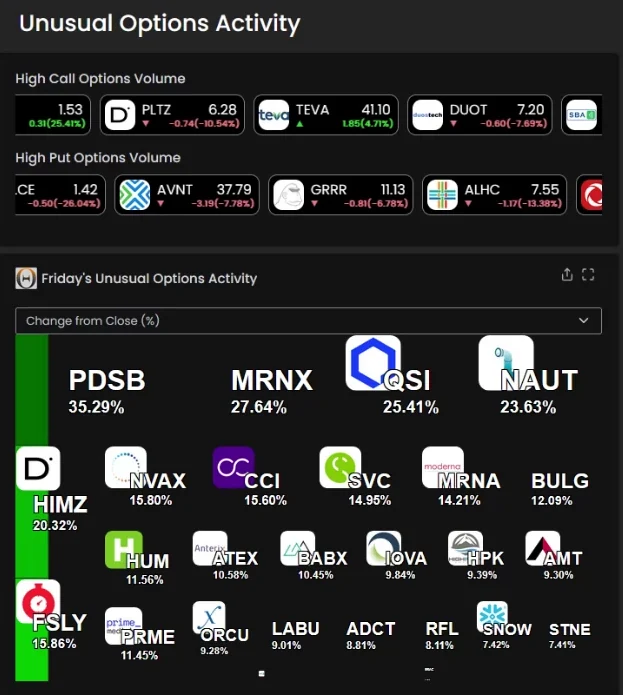
Filters to narrow Single Print alerts
- Relative Volume Filter (RV): Find stocks with high relative volume today. A ratio of 1 is normal for this time of day, 2.5 is 2.5x normal. Watch them in real time in Streaming Alerts.
- Gap (%) Filter (GUP): Find stocks gapping up or down today by percent, so a $2 gap on a $10 stock ranks above the same gap on a $100 stock. Set 5 for 5%+ gap ups.
- Position Of Open Filter (POORP): Find stocks that opened above yesterday's high (100.1+) or at or below yesterday's low (0 max). Position of Open places today's open in yesterday's range.
- Change (5 min, %) Filter (PUp5): Find stocks moving up or down fast in the last 5 minutes, in percent. Set a minimum to see gainers or a maximum to see drops, in real time.
- Consolidation Filter (ConDays): Find stocks consolidating in a tight range on the daily chart, by days. Min 7 = strong consolidation; up to 40 days reported; keep max 25 for normal ones.
- Position in Consolidation Filter (RCon): Find stocks breaking out of a consolidation range. 0 to 100 = still inside it; a min of 100.01 = broke above it; 0 to 15 = in the bottom 15%.
- Position in Range (1 year) Filter (RY): Find stocks near their 52-week high or low. 100 means at the 52-week high and 0 at the low; above 100 is a new high. Set a min of 90 to see leaders.
- RSI (5 min) Filter (RSI5): Find overbought and oversold stocks on the 5-minute chart. RSI runs 0 to 100: a max of 30 finds oversold stocks, a min of 70 finds overbought ones.
Test it before you trade it

Don’t roll the dice. Test the odds. OddsMaker · TI Premium
Run any Single Print setup through OddsMakerTI Premium, the Trade Ideas backtesting tool: event-based backtesting across thousands of stocks, with no coding. Prefer finished trade ideas to building your own? Holly, the Trade Ideas AI, publishes its own signals: Holly AI signalsTI Premium.
Related categories
- Intraday Stock Alerts by Time Frame (66 shared)
- New High and New Low Stock Alerts (37 shared)
- Candlestick Pattern Alerts (18 shared)
- Support and Resistance Breakout Alerts (13 shared)
- Fibonacci Retracement Alerts (12 shared)
- Bid and Ask Stock Alerts (5 shared)
- All alert and filter categories
FAQ
Which stocks just turned green for the day?
Turn on the New High Alert (NHP) in Trade Ideas Streaming Alerts. By default the New High alert (NHP) fires on any print above the rest of the day's prices during regular market hours. In the alert's minimum-days box, 1 means above yesterday's high, 7 means a new high for the week, and 365 means only 52-week highs (any value 0 to 366; default 0). For premarket or after-hours highs, use Pre-market Highs (HPRE) and Post-market Highs (HPOST). Related: New Low Alert (NLP), New High (filtered) Alert (NHPF), New Low (filtered) Alert (NLPF), Pre-market Highs Alert (HPRE).
What are Single Print alerts and filters?
A single print alert can be triggered by one trade; it does not wait for volume or time confirmation. As a result, they often report a move sooner than the confirmed versions, with more noise. The Single Print category also holds the price-position filters measured from one print: distance from VWAP, pivots and the inside market, and change from the open, the close and 5 to 20 days ago.
How do I find stocks trading above VWAP right now?
Use the Distance From VWAP 1 Filter (VWAP). Set the min value to 0.001 to see stocks currently trading above their VWAP. Set the max value to -0.001 to see stocks currently trading below their VWAP.
How many alerts and filters are in the Single Print category?
The Single Print category has 117 alerts and 51 filters (168 in all). Each one links to its own help page with default settings and examples.
Is there a real-time stock scanner that works in real time?
Yes. In Trade Ideas, it is Streaming Alerts: the alerts need no confirmation, so one print is enough to fire them, and the filters are checked on that same print. Each alert reaches you the moment it fires, not on the next refresh.
Can I backtest Single Print alerts before I trade them?
Yes. OddsMakerTI Premium, the Trade Ideas backtesting tool, runs event-based backtests on alert-based strategies across thousands of stocks, with no coding. Pick a Single Print alert as the entry, add filters, and see how the strategy would have done.