







 BBD
▼ Bearish
BBD
▼ Bearish
Streaming Alert (Scanner)
Standard Deviation Breakdown Alert (BBD)
Find stocks moving down one standard deviation or more from yesterday's close in real time with Trade Ideas Streaming Alerts (Scanner). A standard deviation breakdown is a drop of at least one standard deviation from the prior close, so the bar adjusts to how volatile each stock is.
Know when price crosses your line.
Free account, just an email. No card. Live access for a limited time.
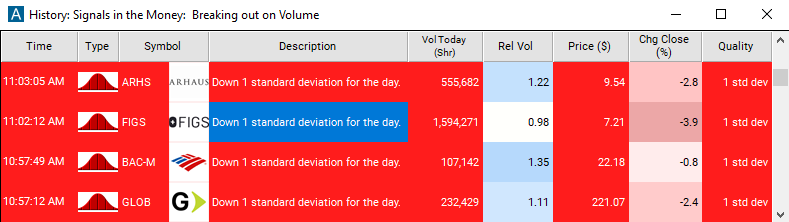
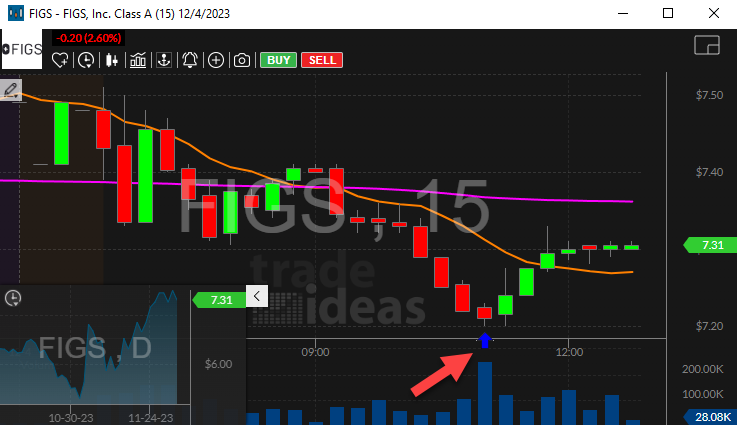
Streaming Alerts push each Standard Deviation Breakdown alert on the print that triggers it.
How Trade Ideas finds it: by default, the Standard Deviation Breakdown alert appears when the stock price moves 1 standard deviation down from the closing price. See Trade Ideas plans and pricing to run it live.
How the Standard Deviation Breakdown alert works
Key point
This alert reports each time the stock price moves down 1 standard deviation from the closing price. This is very similar to the % down for the day alert, but this is based on volatility rather than a percentage. For some stocks it is interesting and unusual when they move down by less than 1% from the previous close. Others must move by 2% or more before they are interesting. The user can require higher standards, as described below.
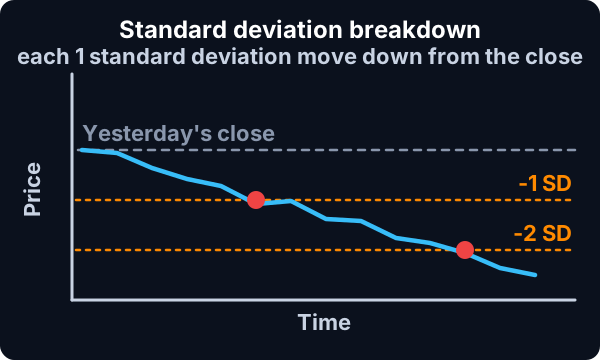
This alert is slightly different from our other volatility alerts, because this uses a more traditional formula for volatility. For most of our alerts we use two weeks worth of volume-weighted, intraday volatility data, and we scale it so that "1" means a typical move for one 15 minute period. This alert is based on a year's worth of volatility data. Recent data is weighted more heavily than year old data, and the data is scaled so that "1" means a standard deviation for one day.
Default settings
Settings
By default, the Standard Deviation Breakdown alert appears when the stock price moves 1 standard deviation down from the closing price.
Custom settings
Settings
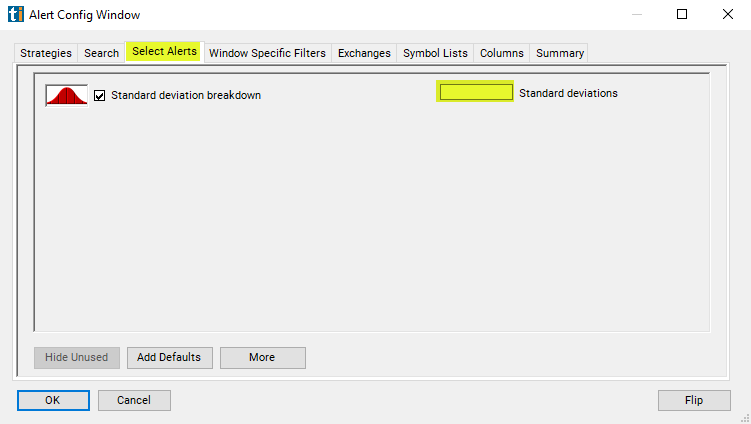
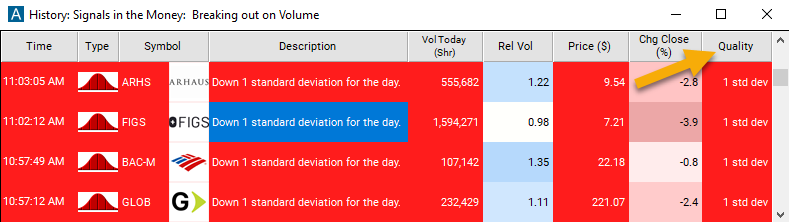
For 'Standard Deviation Breakdown' alerts, you have the option to use an alert specific filter. This filter is located immediately to the right of the corresponding alert and is always optional. You can decide to leave it blank if you want to receive more alerts, or you can fill it in to restrict the number of alerts you receive. This filter allows you to specify the quality of the alert. When you set a higher number for this filter, you are telling the alerts server to display only alerts that meet a higher quality standard, resulting in fewer alerts being shown.
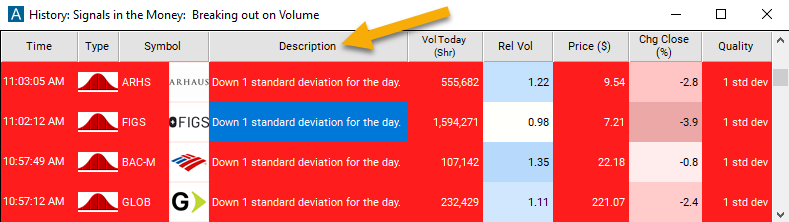
When setting an alert for 'Standard Deviation Breakdown', the user can filter the alert by minimum change required to report. This value is always displayed in the alert description. The server reports at each integer value, and no others. It never does any rounding. This value is measured in standard deviations, scaled for one day. Roughly speaking, one standard deviation is the amount you'd expect the stock to move during the course of an entire day.
Settings
The minimum/default value is one standard deviation. The server will not report one of these alerts until the stock moves at least one standard deviation from the previous closing price.
Typically each symbol will only report one of these alerts per day at each level. However, after recovering from a bad print, the server may repeat some alerts.
What the alert shows you
The description of the alert will give a more comprehensive breakdown of the standard deviation change.
The quality value on a scan using the "Standard Deviation Breakdown" is the total number of standard deviations down from the previous closing price.
Related alerts
Filters to pair with the Standard Deviation Breakdown alert
Categories
FAQ
How do I find stocks dropping unusually hard for their volatility?
Turn on the Standard Deviation Breakdown alert (BBD) in Trade Ideas Streaming Alerts. By default, the Standard Deviation Breakdown alert appears when the stock price moves 1 standard deviation down from the closing price.
What is the Standard Deviation Breakdown alert?
A standard deviation breakdown is a drop of at least one standard deviation from the prior close, so the bar adjusts to how volatile each stock is.
How do I see fewer, higher-quality Standard Deviation Breakdown alerts?
Use the optional alert-specific filter immediately to the right of the alert. A higher number tells the alerts server to show only higher-quality alerts, so fewer appear. Leave it blank to see more.