







 BB
BB
Filter
Standard Deviation Filter (BB)
Find stocks moving more, or less, than they usually move in a day, measured from the previous close, in real time, with Trade Ideas Streaming Alerts (Scanner) and Top Lists (Screeners). The Standard Deviation filter expresses a stock's move since the previous close in units of its daily volatility (standard deviations), using Bright Trading's formula for daily volatility.
Stocks making a run, up and down.
Free account, just an email. No card. Live access for a limited time.
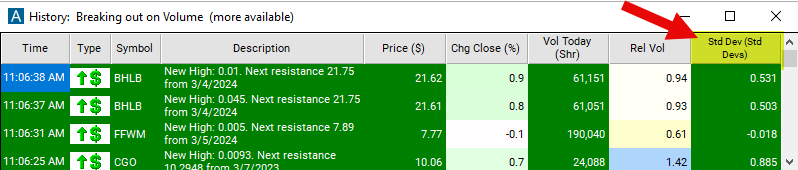
Streaming Alerts check the Standard Deviation (Change From Close) filter the moment each alert fires, and Top Lists can sort by it.
How Trade Ideas finds it: set the min value to -1 and the max value to 1 to see only stocks which have moved less since the previous close than the stock usually moves in a day. See Trade Ideas plans and pricing to run it live.
How the Standard Deviation filter works
Settings
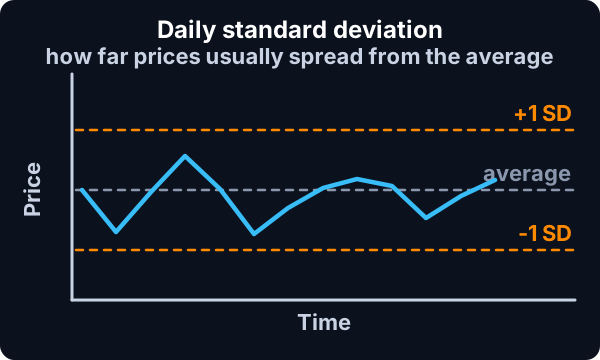
The standard deviation filter is a tool used to measure the volatility or dispersion of a stock's price movement from its average price. Standard deviation is a statistical measure that quantifies the amount of variation or dispersion in a set of data points. When applied to stock prices, standard deviation helps traders assess the volatility of a stock's price over a certain period. A higher standard deviation indicates greater volatility, meaning the stock's price has experienced larger fluctuations over the chosen period. Conversely, a lower standard deviation suggests lower volatility, indicating relatively stable price movements.
This filter is similar to the Min / Max Up from the Close (Bars) filters. Both sets of filters compare the current stock price to the previous closing price. Both sets of filters use each stock’s volatility to normalize the data. The previous pair of filters uses our standard formula for intra-day volatility. This filter uses Bright Trading’s formula for daily volatility.
Standard Deviation filter settings
Settings
The settings of each Trade Ideas filter are defined in the Window Specific Filters Tab located in the Configuration Window of your Alert or Top List (Screener) window.
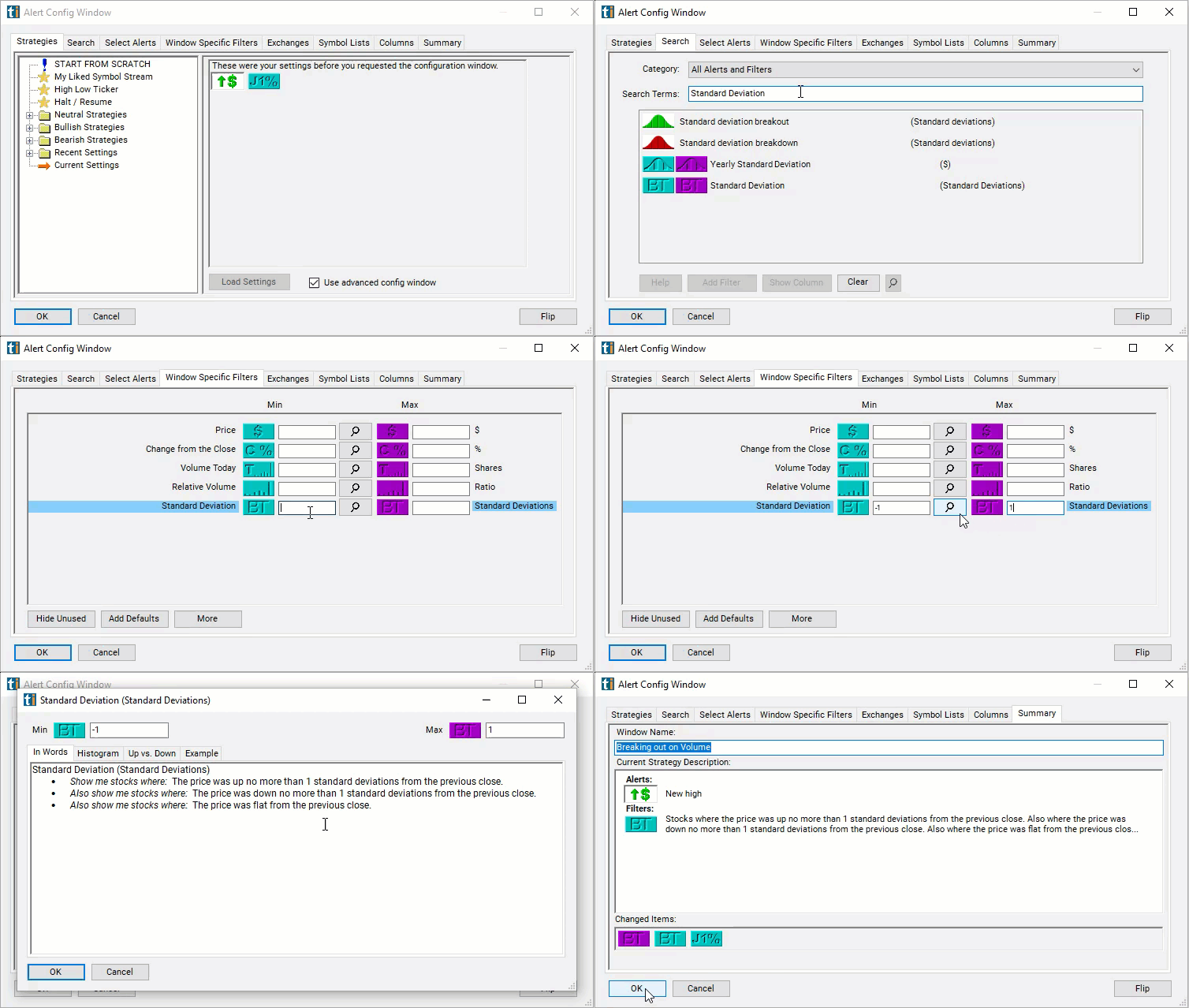
Here is how to setup the filter in your configuration window:
- Set the min value to -1 and the max value to 1 to see only stocks which have moved less since the previous close than the stock usually moves in a day. Or set the max to -3 and leave the min blank to see stocks which have moved down a significant amount since the close.
Using the Standard Deviation Filter
Several trading strategies can be employed with the Standard Deviation filter. Here are a few examples:
- Bollinger Bands Strategy: Bollinger Bands incorporate standard deviation to create bands around a stock's moving average. Traders may enter long positions when the price touches the lower band (indicating oversold conditions) and short positions when the price touches the upper band (indicating overbought conditions).
- Volatility Breakout Strategy: Traders may look for stocks with high standard deviations to identify periods of increased volatility. They may enter trades when the stock breaks out of its recent price range, expecting continued volatility in the same direction.
- Range Trading: Traders may use standard deviation to identify overbought or oversold conditions within a range-bound market. When the price reaches extreme levels beyond the standard deviation bands, traders may anticipate a mean reversion and enter trades accordingly.
Filters to combine with Standard Deviation
Alerts to pair with the Standard Deviation filter
FAQ
Which stocks are making unusually large moves today?
Add the Standard Deviation filter (BB) to a Trade Ideas Streaming Alerts or Top List (Screener) window. Set the min value to -1 and the max value to 1 to see only stocks which have moved less since the previous close than the stock usually moves in a day.
What is the Standard Deviation (Change From Close) filter?
The Standard Deviation filter expresses a stock's move since the previous close in units of its daily volatility (standard deviations), using Bright Trading's formula for daily volatility.
How do I measure a stock move in standard deviations?
Use the Standard Deviation filter (BB) in Trade Ideas Streaming Alerts and Top Lists to find stocks moving more, or less, than they usually move in a day, measured from the previous close. The Standard Deviation filter expresses a stock's move since the previous close in units of its daily volatility (standard deviations), using Bright Trading's formula for daily volatility.