







 PDD
▼ Bearish
PDD
▼ Bearish
Streaming Alert (Scanner)
% Down For The Day Alert (PDD)
Find stocks down a set percentage since yesterday's close in real time with Trade Ideas Streaming Alerts (Scanner). % down for the day is how far a stock has fallen since the previous close, based on official prints. You choose the percentage; the server starts at 3%.
Stocks making a run, up and down.
Free account, just an email. No card. Live access for a limited time.
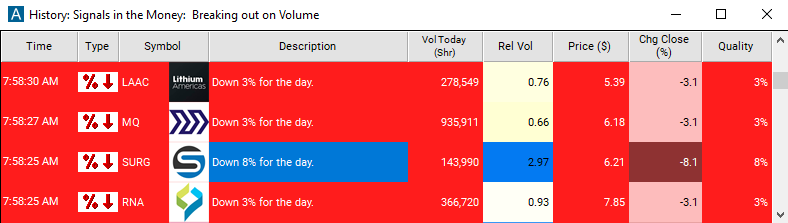
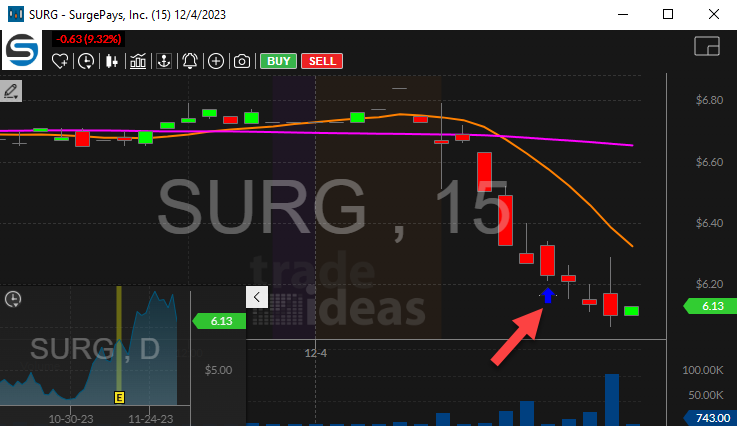
Streaming Alerts push each % Down For The Day alert on the print that triggers it.
How Trade Ideas finds it: by default, the '% Down for the Day' alert will appear when a stock moves down a certain percentage since the previous close. See Trade Ideas plans and pricing to run it live.
How the % Down For The Day alert works
This alert reports when a stock moves down a certain percentage since the previous close. This alert is based on official prints, not the pre- and post-market.
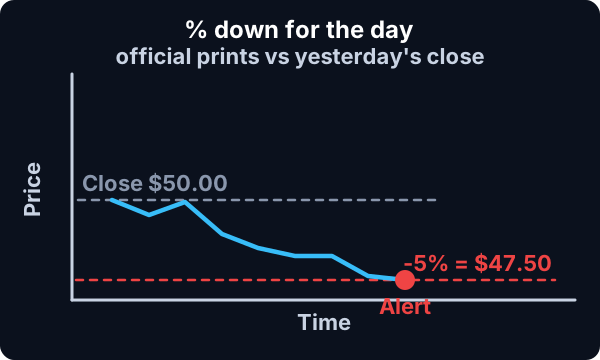
This alert was requested by money managers who often have to report to investors when a stock moves against them by too much. This alert is more straightforward than many of our alerts. A money manager will typically watch several types of alerts but will only report simple events to clients.
Key point
Typically, this alert only reports once at each price level. However, if an alert was based on a bad quote, the server will reset itself to the last valid alert.
Default settings
By default, the '% Down for the Day' alert will appear when a stock moves down a certain percentage since the previous close. The server does not report an alert until the stock price has changed by at least 3%. The user can require higher standards, as described below.
Custom settings
Settings
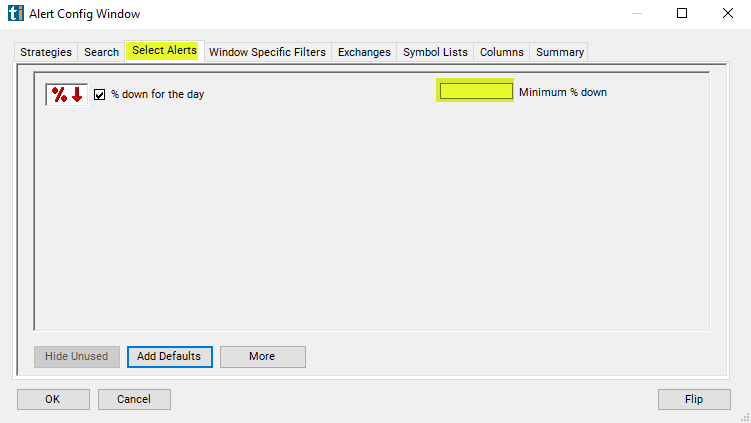
For '% Down for the Day' alerts, you have the option to use an alert specific filter. This filter is located immediately to the right of the corresponding alert and is always optional. You can decide to leave it blank if you want to receive more alerts, or you can fill it in to restrict the number of alerts you receive. This filter allows you to specify the quality of the alert. When you set a higher number for this filter, you are telling the alerts server to display only alerts that meet a higher quality standard, resulting in fewer alerts being shown.
When setting an alert for '% Down for the Day', the user can filter the alert by minimum percentage changed. This value is always displayed in the alert description. The server reports each integer value, and no others. It never does any rounding. The minimum value is different for different alerts.
Key point
Typically, each symbol will only report one of these alerts per day at each % level. However, after recovering from a bad print, or other major changes in the price, the server may repeat some alerts.
What the alert shows you
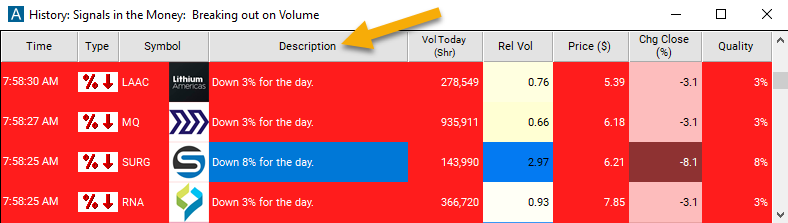
The alert's description will provide a more comprehensive breakdown of the percentage decrease in the stock's value since the previous closing price.
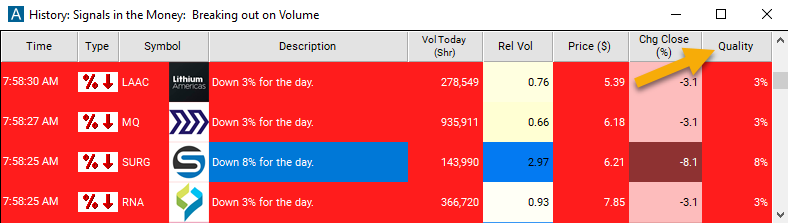
The quality value on a scan using the '% Down for the Day' alert will show the % down for the day.
Related alerts
Filters to pair with the % Down For The Day alert
Categories
FAQ
Which stocks are down more than 5% today?
Turn on the % Down For The Day alert (PDD) in Trade Ideas Streaming Alerts. By default, the '% Down for the Day' alert will appear when a stock moves down a certain percentage since the previous close.
What is the % Down For The Day alert?
% down for the day is how far a stock has fallen since the previous close, based on official prints. You choose the percentage; the server starts at 3%.
How do I see fewer, higher-quality % Down For The Day alerts?
Use the optional alert-specific filter immediately to the right of the alert. A higher number tells the alerts server to show only higher-quality alerts, so fewer appear. Leave it blank to see more.