







 FGDR
▼ Bearish
FGDR
▼ Bearish
Streaming Alert (Scanner)
False Gap Down Retracement Alert (FGDR)
By Daniel Mirkin, CEO, Trade Ideas. Updated October 2026.
Find gap down stocks that start to fill, then resume the gap direction, in real time, with Trade Ideas Streaming Alerts (Scanner). A false gap down retracement is when a stock gaps down, partly fills the gap, then turns and continues below the open in the gap's direction.
Stocks moving off the open.
Free account, just an email. No card. Live access for a limited time.
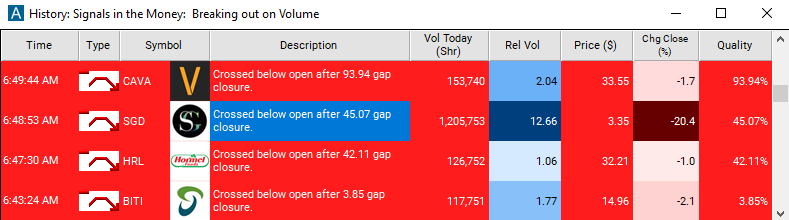
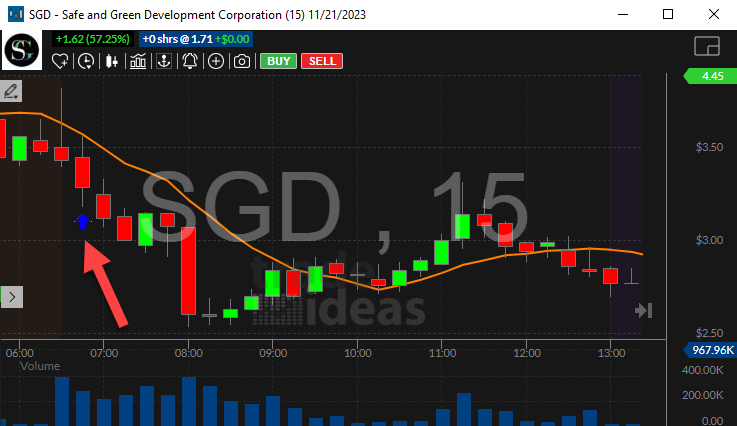
Streaming Alerts show a false gap down retracement the moment price drops back under the open.
How Trade Ideas finds it: by default, the false gap down retracement alert occurs when the price continues below the open by a sufficient margin for the first time. See Trade Ideas plans and pricing to run it live.
What is a false gap down retracement?
A false gap down retracement is a stock that gaps down, bounces partway toward yesterday's close, then rolls over and breaks below the open. The bounce did not last.
Like FGUR, it needs a large enough gap and a partial fill before it can trigger.
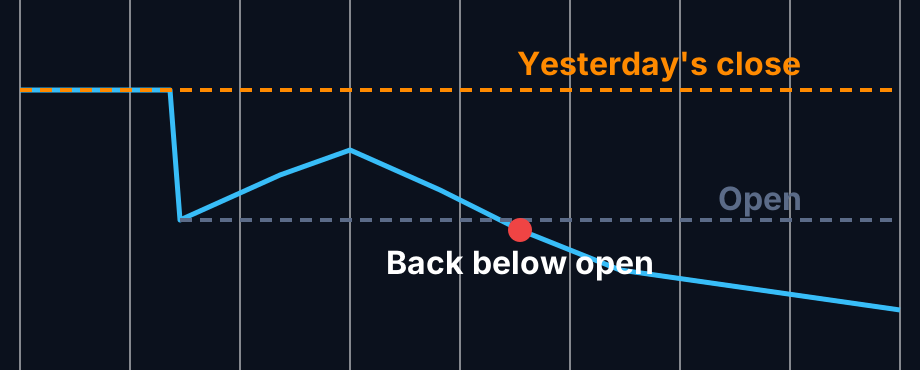
How a false gap down retracement forms
Gap down
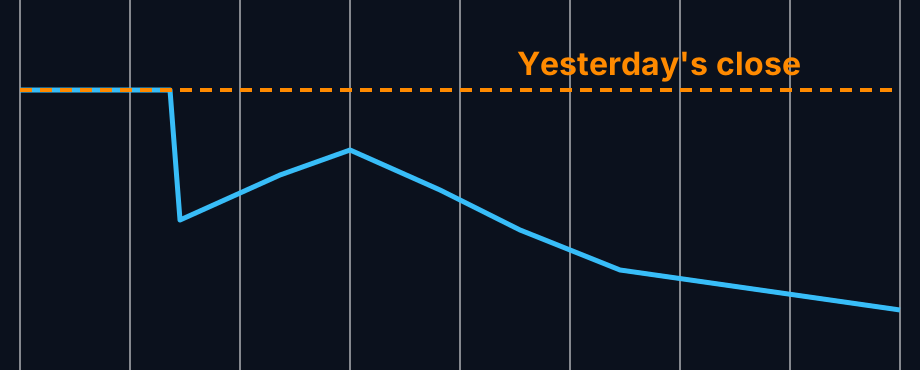
The stock opens well under yesterday's close.
Bounce that stalls
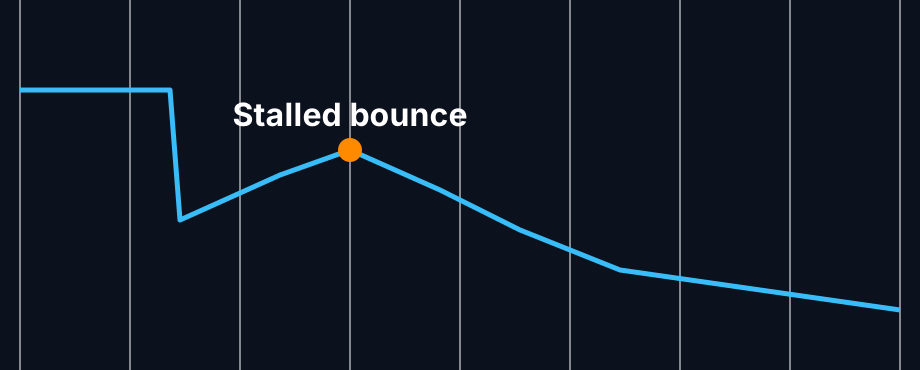
Price climbs toward the close but runs out of buyers.
Below the open
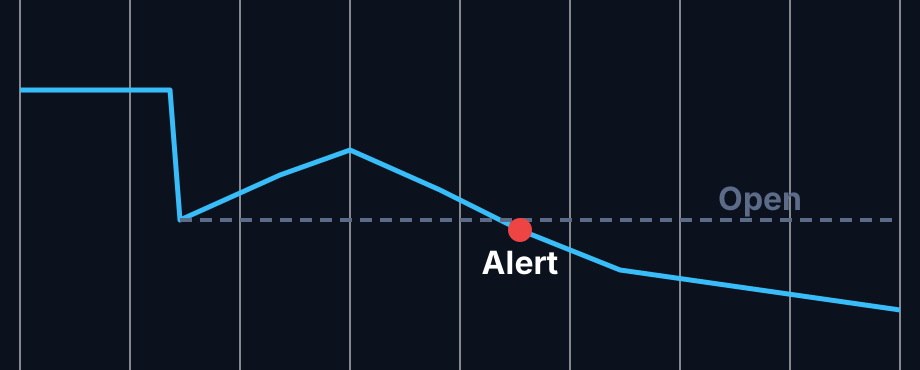
Price falls back under the open by enough. The alert fires.
How traders use it
Step 1: Let the Trade Ideas alert find it
Turn on the False Gap Down Retracement alert (FGDR) to see gap downs that tried to recover and failed. See it live in the Web Dashboard.
Step 2: Wait for the trigger
Key point
The break back under the open is the signal. Some also want a new low for the day.
Step 3: Entry
Short sellers often act on that break. Long holders may use it to exit.
Step 4: Exit
Above the bounce high is a common place for a short stop. Traders use it as a habit, not a recommendation.
Tips
- Weak sectors make these more common.
- Check that shares are available to borrow if you short.
- A big bounce that fails can trap buyers, which some traders watch for.
- Opposite: False Gap Up Retracement (FGUR).
Past results, including backtests, are not indicative of future results.
How the False Gap Down Retracement alert works
This alert occurs when a stock gaps down, starts to fill the gap, but retraces its steps and continues in the original direction of the gap.
Key point
A false gap down retracement alert occurs when the price continues below the open by a sufficient margin for the first time. In order to have an alert, there must have been a sufficiently large gap between the close and the open, and the price must have partially filled that gap. If the price immediately moves away from the close price (continuing in the direction of the gap), if the price crosses the close price (overfilling the gap), or if the gap was too small, there can be no alert.
Normally each stock can have no more than one of these alerts per day. However, if the exchange reports a correction to a bad print, it is possible to see more.
Default settings
By default, the false gap down retracement alert occurs when the price continues below the open by a sufficient margin for the first time.
Custom settings
Settings
For 'False Gap Down Retracement' alerts, you have the option to use an alert specific filter. This filter is located immediately to the right of the corresponding alert and is always optional. You can decide to leave it blank if you want to receive more alerts, or you can fill it in to restrict the number of alerts you receive. This filter allows you to specify the quality of the alert. When you set a higher number for this filter, you are telling the alerts server to display only alerts that meet a higher quality standard, resulting in fewer alerts being shown.
When setting an alert for 'False Gap Down Retracement', the user can filter the alerts by the percentage of the gap which was filled. This value is reported in the description of each alert.
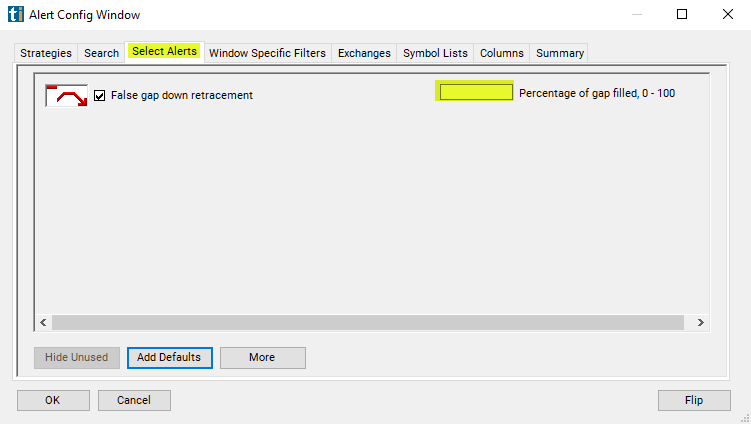
Settings
Note: The minimum gap size and the threshold for continuing the gap are automatically determined by the alerts server. These values are different for each stock, and are chosen to avoid reporting noise. The alert describes a horseshoe shape, as shown in the icon. This setting allows the user to set the minimum height of the horseshoe.
What the alert shows you
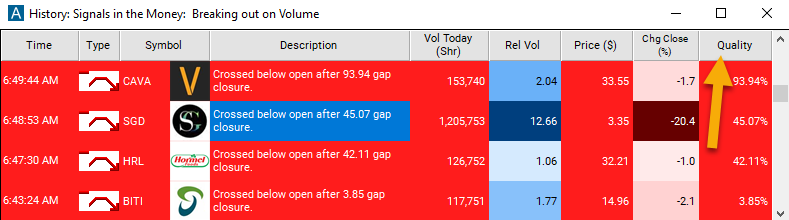
The description of the alert will report the percentage of the gap which was filled.
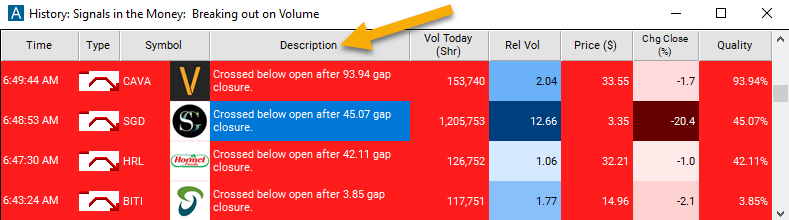
Add the quality column to a scan using the 'False Gap Down Retracement' alert to see the percentage of gap closure.
Related alerts
Filters to pair with the False Gap Down Retracement alert
Categories
FAQ
Which gap down stocks are holding and continuing today?
Turn on the False Gap Down Retracement alert (FGDR) in Trade Ideas Streaming Alerts. By default, the false gap down retracement alert occurs when the price continues below the open by a sufficient margin for the first time.
What is the False Gap Down Retracement alert?
A false gap down retracement is when a stock gaps down, partly fills the gap, then turns and continues below the open in the gap's direction.
How do I see fewer, higher-quality False Gap Down Retracement alerts?
Use the optional alert-specific filter immediately to the right of the alert. A higher number tells the alerts server to show only higher-quality alerts, so fewer appear. Leave it blank to see more.
What is the opposite of the False Gap Down Retracement alert?
What is a false gap down retracement?
A gap down that bounced partway toward the prior close, then fell back below the open.
Is FGDR bearish?
Yes. It shows the gap down holding after a failed bounce.
Does the bounce have to reach yesterday's close?
No. If it reaches the close, it is a different situation. FGDR needs a partial fill only.
Can I combine FGDR with other alerts?
Yes. Many traders run it next to the opening range breakdown alerts.