







 FOR
FOR
Filter
Change From The Open Filter (FOR)
Find stocks whose move since the open is unusual for that particular stock in real time with Trade Ideas Streaming Alerts (Scanner) and Top Lists (Screeners). The Change from the Open (Bars) filter divides the move since the open by the average size of a 15-minute bar for that stock, so it accounts for each stock's volatility.
Stocks making a run, up and down.
Free account, just an email. No card. Live access for a limited time.
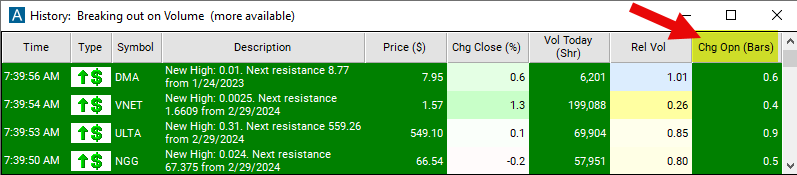
Streaming Alerts check the Change From the Open (Bars) filter the moment each alert fires, and Top Lists can sort by it.
How Trade Ideas finds it: set the min to -1 and the max to 1 to see only stocks which are trading close to where they were at the open. See Trade Ideas plans and pricing to run it live.
How the Change From The Open filter works
Trader tip
This filter provides traders with information about how much the stock price has moved since the open. This is the most powerful version of the filter, because it takes the volatility of each stock into account. Like the other versions, this starts by subtracting the stock’s opening price from its current price. Then it divides this value by the average size of a bar on a 15 minute bar chart for the stock. Positive numbers represent stocks which are trading higher now than at the open. Use negative numbers for stocks which are trading lower than at the open.
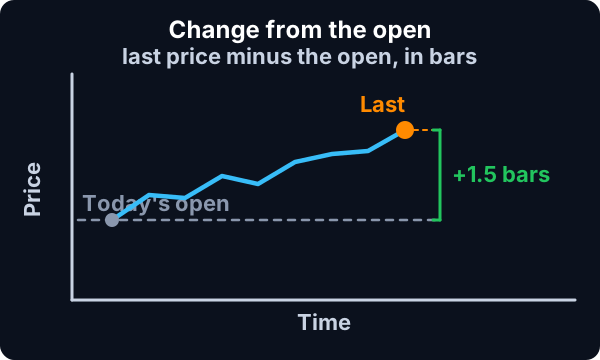
These filters are related to the % up / down for the day alerts. The filters and the alerts both compare the current price to the open. However, there are some differences:
- The alerts typically only display once for each level. The filters always have a value.
- The alerts only work with percentage values.
- The alerts only work during normal market hours.
Change From The Open filter settings
Settings
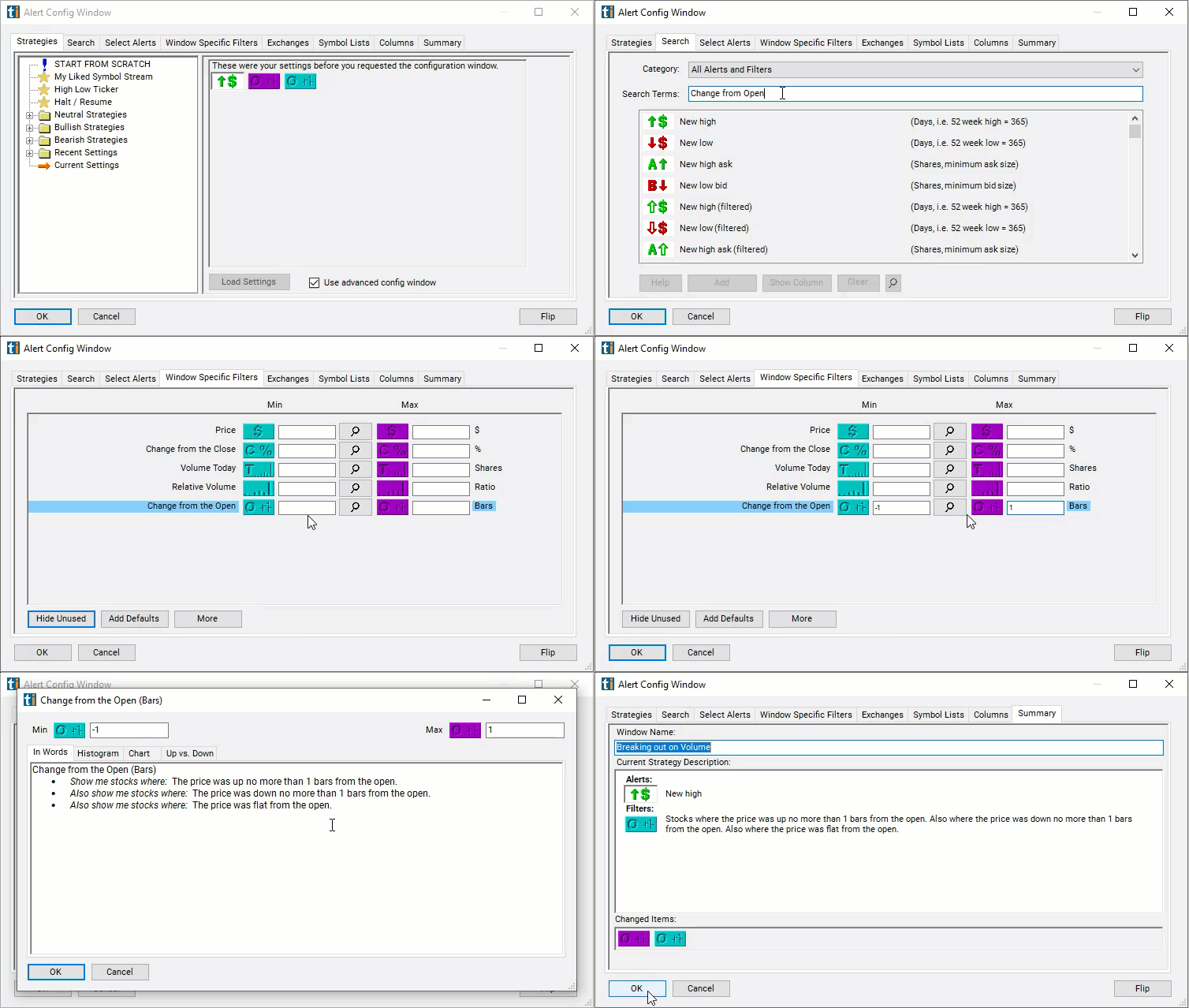
The settings of each Trade Ideas filter are defined in the Window Specific Filters Tab located in the Configuration Window of your Alert or Top List (Screener) window.
Here is how to setup the filter in your configuration window:
- Set the min to -1 and the max to 1 to see only stocks which are trading close to where they were at the open.
Using the Change from Open Bars Filter
Several trading strategies can be employed with the Change from Open Bars filter. Here are a few examples:
- Momentum Trading: Momentum traders aim to capitalize on the continuation of an existing trend in the stock's price. Traders may look for stocks with a significant positive change from the open, indicating upward momentum. They may then buy the stock, expecting the price to continue moving higher. Conversely, if a stock has a significant negative change from the open, indicating downward momentum, traders may consider short-selling the stock.
- Breakout Trading: Breakout traders aim to capitalize on significant price movements that break through key support or resistance levels. Traders may monitor stocks with a large change from the open, particularly if the change results in the stock breaking through a significant support or resistance level. They may then enter trades in the direction of the breakout, anticipating further price movement in that direction.
- Reversal Trading: Reversal traders aim to identify points where a stock's price is likely to reverse direction. Traders may look for stocks with an extreme change from the open, indicating potential overextension in price. If a stock has experienced a large positive change from the open, traders may anticipate a reversal and consider short-selling the stock. Conversely, if a stock has experienced a large negative change from the open, traders may anticipate a reversal and consider buying the stock.
Filters to combine with Change From The Open
Alerts to pair with the Change From The Open filter
Categories
FAQ
Which stocks are up the most since the open?
Add the Change From The Open filter (FOR) to a Trade Ideas Streaming Alerts or Top List (Screener) window. Set the min to -1 and the max to 1 to see only stocks which are trading close to where they were at the open.
What is the Change From the Open (Bars) filter?
The Change from the Open (Bars) filter divides the move since the open by the average size of a 15-minute bar for that stock, so it accounts for each stock's volatility.
How do I find stocks moving away from their open?
Use the Change From The Open filter (FOR) in Trade Ideas Streaming Alerts and Top Lists to find stocks whose move since the open is unusual for that particular stock. The Change from the Open (Bars) filter divides the move since the open by the average size of a 15-minute bar for that stock, so it accounts for each stock's volatility.