







 FOW
FOW
Filter
Change From The Open Filter (FOW)
Find stocks making a wide-range move since the open, compared with their average true range, in real time, with Trade Ideas Streaming Alerts (Scanner) and Top Lists (Screeners). The Change from the Open (% of ATR) filter compares the move since today's open to the stock's Average True Range, expressed as a percent.
Stocks making a run, up and down.
Free account, just an email. No card. Live access for a limited time.
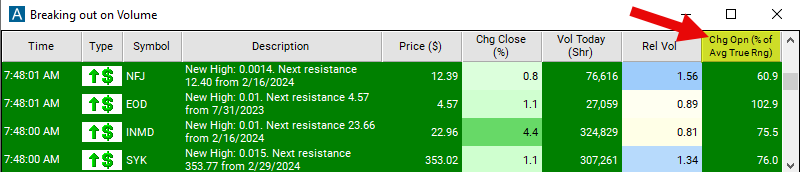
Streaming Alerts check the Change From the Open (% of ATR) filter the moment each alert fires, and Top Lists can sort by it.
How Trade Ideas finds it: a large minimum value finds wide-range moves in stocks that are up today, and a large negative maximum finds wide-range moves in stocks that are down today. See Trade Ideas plans and pricing to run it live.
How the Change From The Open filter works
The "change from the open (% of average true range)" filter in stock trading combines two concepts: "change from the open" and "average true range (ATR)." Let's break down each component:
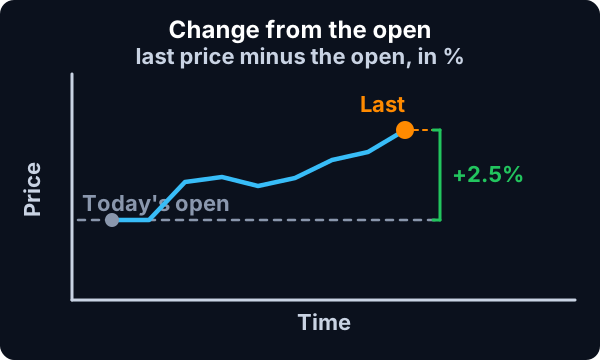
Change from the Open:
This refers to the difference between the current price of a stock and its opening price for the trading session. It indicates how much the price has changed since the market opened.
Average True Range (ATR):
Formula
ATR is a measure of volatility that considers the true range of price movement over a specified period. It accounts for the highest high minus the lowest low and can provide insights into the volatility of a stock. Combining these two concepts, the "change from the open (% of ATR)" filter calculates the percentage change from the open price relative to the average true range. This filter helps traders gauge the magnitude of price movement since the market opened relative to the typical volatility of the stock.
This is a way to find daily wide range bars as they happen.
Change From The Open filter settings
The settings of each Trade Ideas filter are defined in the Window Specific Filters Tab located in the Configuration Window of your Alert or Top List (Screener) window.
Here is how to setup the filter in your configuration window:
- A large minimum value for this field will find wide range bars for positive stocks. Set the maximum value to a large negative number to find wide range bars in stocks going down today.
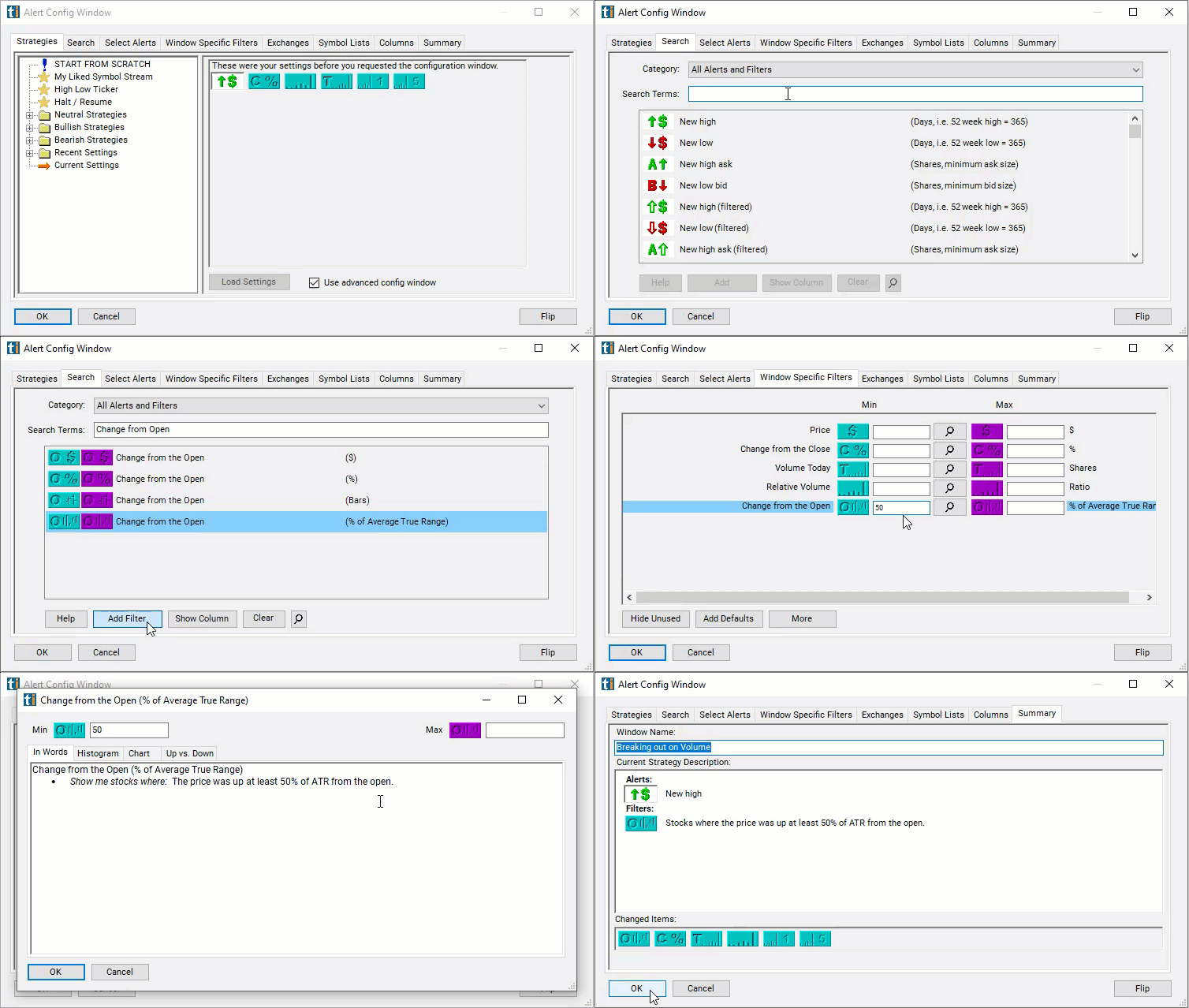
Using the Change from Open ATR Filter
Several trading strategies can be employed with the Change from Open ATR filter. Here are a few examples:
- Volatility Expansion Trading: Traders aim to profit from increased volatility in the market. Look for stocks with a large percentage change from the open compared to the average true range. High volatility indicates potential opportunities for profit. Enter trades to capitalize on price movements driven by increased volatility.
- Trend Confirmation Trading: Traders confirm the direction of the trend and look for opportunities to join the trend. Use the filter to identify stocks with a significant percentage change from the open in the direction of the prevailing trend. Confirm the trend using other technical indicators or trend-following tools. Enter trades in the direction of the trend to ride momentum.
- Mean Reversion Trading: Traders anticipate that price will revert to its mean after significant deviations. Look for stocks with a large percentage change from the open relative to the average true range, indicating overbought or oversold conditions. Wait for signs of reversal such as divergence or exhaustion patterns. Enter trades anticipating a reversion to the mean.
Filters to combine with Change From The Open
Alerts to pair with the Change From The Open filter
Categories
FAQ
Which stocks are up the most since the open?
Add the Change From The Open filter (FOW) to a Trade Ideas Streaming Alerts or Top List (Screener) window. A large minimum value finds wide-range moves in stocks that are up today, and a large negative maximum finds wide-range moves in stocks that are down today.
What is the Change From the Open (% of ATR) filter?
The Change from the Open (% of ATR) filter compares the move since today's open to the stock's Average True Range, expressed as a percent.
How do I find stocks moving away from their open?
Use the Change From The Open filter (FOW) in Trade Ideas Streaming Alerts and Top Lists to find stocks making a wide-range move since the open, compared with their average true range. The Change from the Open (% of ATR) filter compares the move since today's open to the stock's Average True Range, expressed as a percent.