







 NHPF
▲ Bullish
NHPF
▲ Bullish
Streaming Alert (Scanner)
New High (filtered) Alert (NHPF)
Find stocks making new highs, with rapid repeat alerts thinned out, in real time, with Trade Ideas Streaming Alerts (Scanner). This is the filtered version of New High: when price makes several new highs in quick succession, you see one alert instead of many.
See the breakout when it prints, not after.
Free account, just an email. No card. Live access for a limited time.
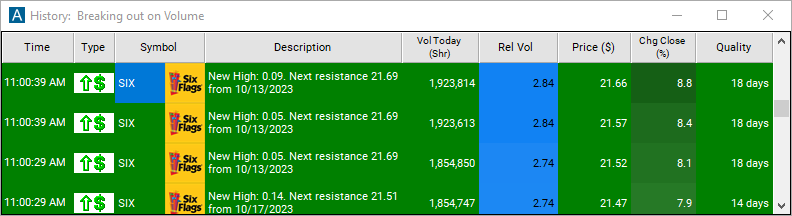
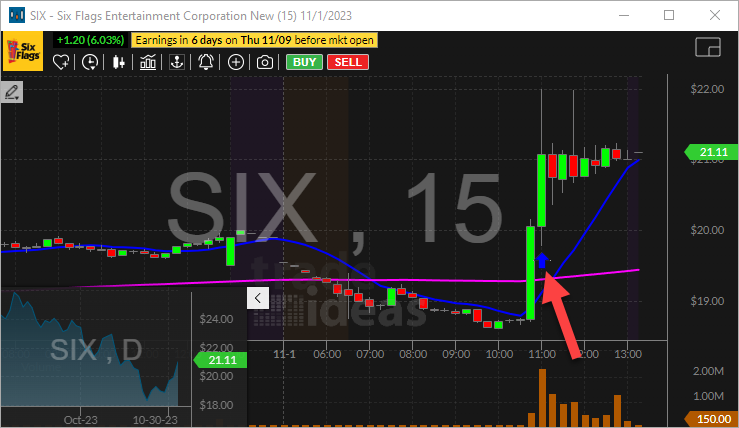
Streaming Alerts push each New High (filtered) alert on the print that triggers it.
How Trade Ideas finds it: by default, no more than one alert per stock will appear each minute. See Trade Ideas plans and pricing to run it live.
How the New High (filtered) alert works
Key point
This alert is a subset of its unfiltered counterpart. It refers to the highest prices that a stock has reached in a particular period. When a stock reaches a new high, it means that a stock has reached the highest level it has ever been during that period. The difference is that when the price quickly changes several times in a row, only one of these alerts will appear. The unfiltered alerts appear once every time the price changes.
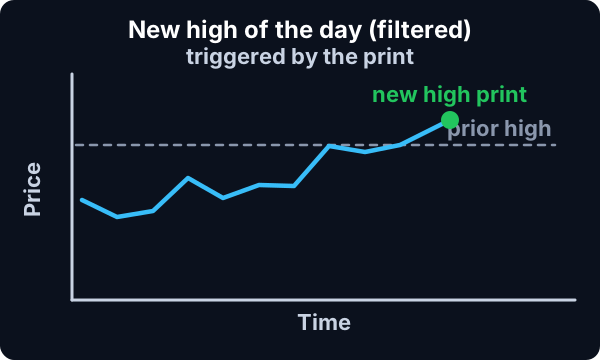
Daytraders often prefer to display the unfiltered versions of these alerts on a large set of stocks. The effect is to create a window where the user can quickly see if the market as a whole is moving up or down. Other traders prefer to see fewer, more interesting alerts. For that effect, select these filtered versions of the alerts. Some people create two or more alert windows, some with filtered alerts and some with unfiltered alerts.
Default settings
Settings
By default, no more than one alert per stock will appear each minute. However, if a stock price changes by more basis points than expected, new alerts will be displayed more often. The cutoff point for each symbol is automatically chosen based on volatility.
Custom settings
For 'New High (filtered)' alerts, you have the option to use an alert specific filter. This filter is located immediately to the right of the corresponding alert and is always optional. You can decide to leave it blank if you want to receive more alerts, or you can fill it in to restrict the number of alerts you receive.
Settings
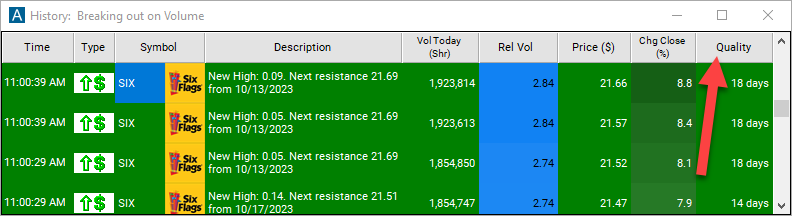
This filter allows you to specify the quality of the alert. When you set a higher number for this filter, you are telling the alerts server to display only alerts that meet a higher quality standard, resulting in fewer alerts being shown.
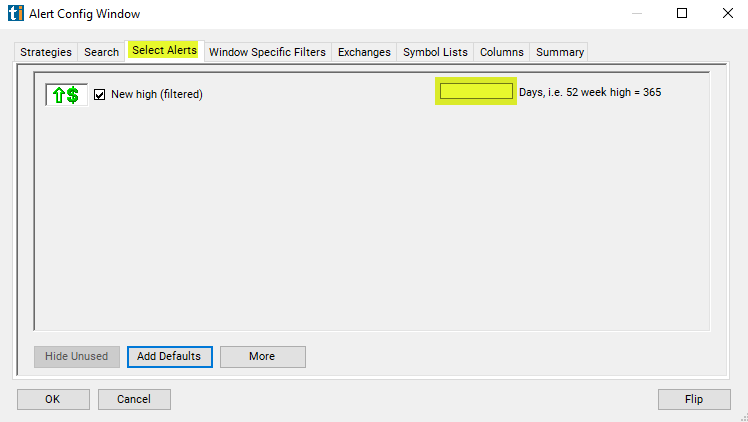
When setting an alert for 'New High (filtered),' you can specify a minimum number of days. Here's what different values mean:
- 0: Any new high triggers an alert.
- 1: A high must be higher than yesterday's high to trigger an alert.
- 7: Only new highs for the week will be shown.
- 365: Only 52-week highs will be shown.
You can use any number between 0 and 366. The default value is 0.
What the alert shows you
Key point
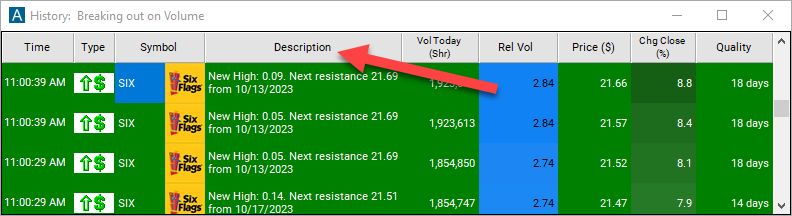
The description column of your scan will provide more details about the new high. When the alert server detects a new high, it looks for the most recent day before today when the price was higher than it is now. It reports the day when this happened, and the high for the day as the resistance in the description column. Note: This is a very simple version of resistance based only on daily highs. Several other alerts implement more advanced algorithms for finding support and resistance.
This value represents the number of days it has been since the stock has been higher than the recent alert notification.
Related alerts
Filters to pair with the New High (filtered) alert
Categories
FAQ
Show me stocks breaking their high of day without repeat alerts?
Turn on the New High (filtered) alert (NHPF) in Trade Ideas Streaming Alerts. By default, no more than one alert per stock will appear each minute.
What is the New High (filtered) alert?
This is the filtered version of New High: when price makes several new highs in quick succession, you see one alert instead of many.
How do I see fewer, higher-quality New High (filtered) alerts?
Use the optional alert-specific filter immediately to the right of the alert. A higher number tells the alerts server to show only higher-quality alerts, so fewer appear. Leave it blank to see more.