







 UpJan1P
Filter
Change Since January 1 Filter (UpJan1P)
Find the top gainers and losers since January 1, in percent, in real time, with Trade Ideas Streaming Alerts (Scanner) and Top Lists (Screeners). The Change Since January 1 (%) filter compares the current price to the price on January 1, in percent.
Stocks making a run, up and down.
Free account, just an email. No card. Live access for a limited time.
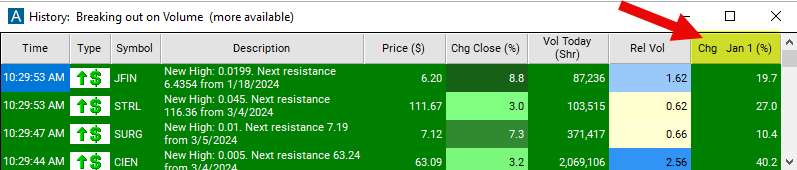
Streaming Alerts check the Change Since January 1 (%) filter the moment each alert fires, and Top Lists can sort by it.
How Trade Ideas finds it: set the min value to 10 to see stocks which are up at least 10% since the start of the calendar year. See Trade Ideas plans and pricing to run it live.
How the Change Since January 1 filter works
The "change since January 1 (%)" filter compares the current price to the price on January 1st, measured in percentage. Traders and investors may use this filter to identify stocks that have experienced significant price movements since the start of the year, which could indicate potential trends or opportunities for further analysis. It can also help them understand the performance of a stock within the current calendar year.
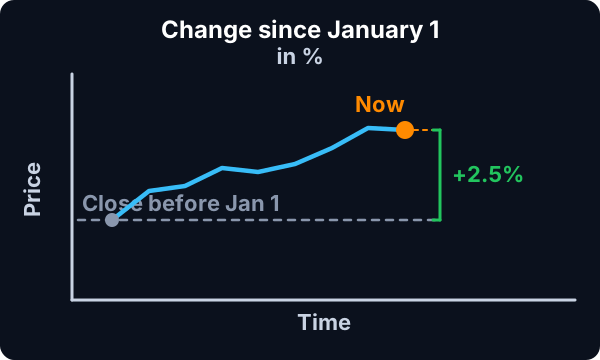
The formula for the % version is (new value – old value) / old value * 100.
The current price is based on the last print. There is no smoothing or averaging. This updates before, during, and after market hours.
Change Since January 1 filter settings
The settings of each Trade Ideas filter are defined in the Window Specific Filters Tab located in the Configuration Window of your Alert or Top List (Screener) window.
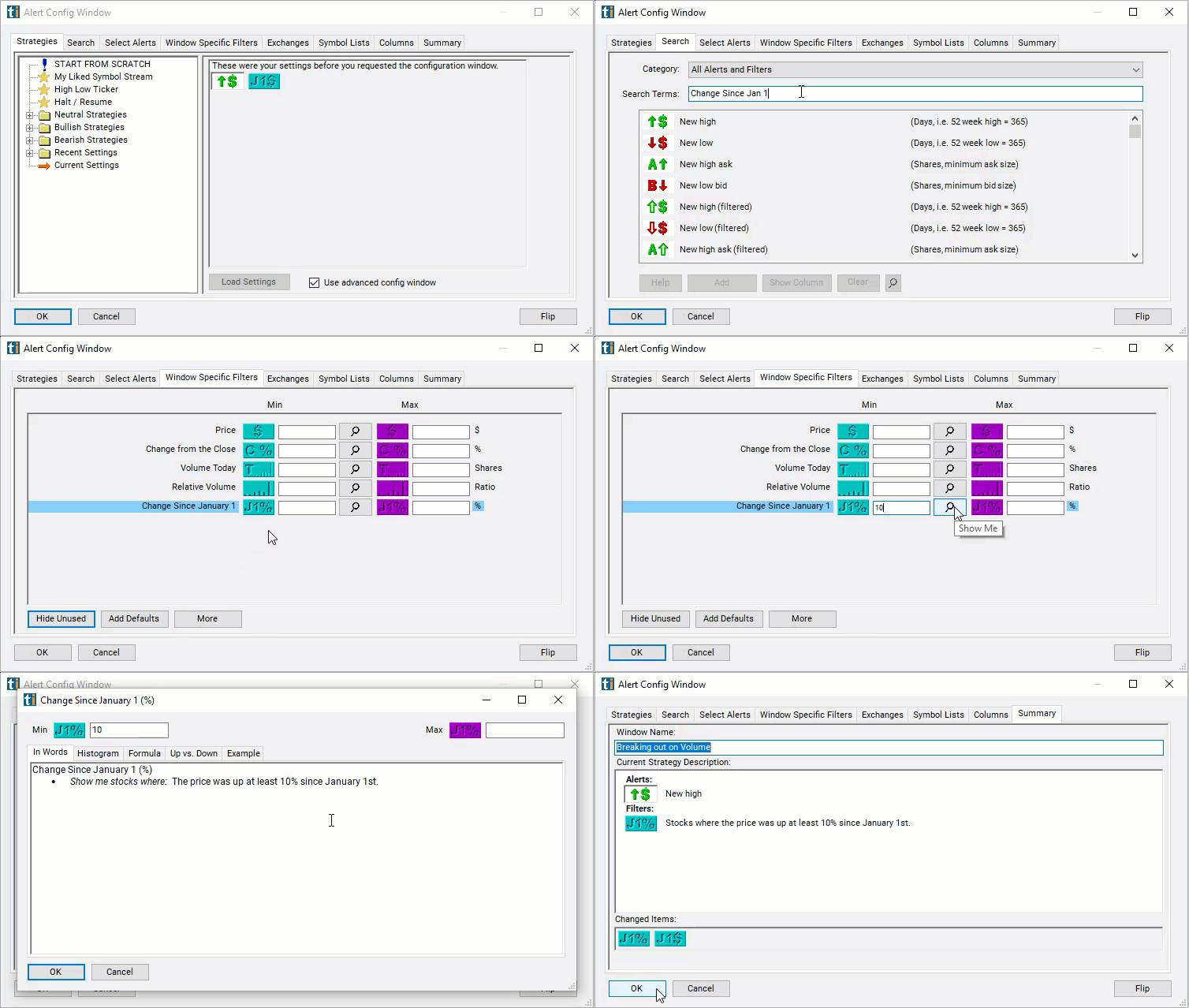
Here is how to setup the filter in your configuration window:
- Set the min value to 10 to see stocks which are up at least 10% since the start of the calendar year.
Using the Change Since January 1 Percent Filter
Several trading strategies can be employed with the Change Since January 1 Percent filter. Here are a few examples:
- Momentum Trading: Traders can use the change since January 1 (%) filter to identify stocks that have exhibited strong upward momentum since the beginning of the year. Stocks with significant positive percentage changes indicate strong performance during the year. Traders may consider entering long positions in these stocks to ride the momentum.
- Contrarian Trading: Conversely, traders can use the filter to identify stocks that have experienced significant negative percentage changes since January 1st. These stocks may have fallen out of favor with investors but could potentially be undervalued. Contrarian traders may consider entering long positions in these stocks, expecting a potential reversal or bounce back.
- Trend Following: Traders can use the change since January 1 (%) filter as part of a trend-following strategy. Stocks with consistent positive percentage changes since the beginning of the year may indicate strong uptrends, while those with consistent negative percentage changes may indicate downtrends. Traders may consider entering long positions in stocks with upward trends and short positions in stocks with downward trends.
Filters to combine with Change Since January 1
Alerts to pair with the Change Since January 1 filter
Categories
FAQ
Which stocks are up the most year to date?
Add the Change Since January 1 filter (UpJan1P) to a Trade Ideas Streaming Alerts or Top List (Screener) window. Set the min value to 10 to see stocks which are up at least 10% since the start of the calendar year.
What is the Change Since January 1 (%) filter?
The Change Since January 1 (%) filter compares the current price to the price on January 1, in percent.
How do I find the best performing stocks over a period?
Use the Change Since January 1 filter (UpJan1P) in Trade Ideas Streaming Alerts and Top Lists to find the top gainers and losers since January 1, in percent. The Change Since January 1 (%) filter compares the current price to the price on January 1, in percent.