







 VWAPStop
Filter
VWAP Stop Filter (VWAPStop)
Find a recommended stop level for each stock, positioned outside its VWAP, in real time, with Trade Ideas Streaming Alerts (Scanner) and Top Lists (Screeners). VWAP Stop is a Trade Ideas adaptive algorithm that looks at a stock's high and low along with near-term anchored VWAP to produce a stop level in dollars, placed outside the VWAP.
Know when price crosses your line.
Free account, just an email. No card. Live access for a limited time.
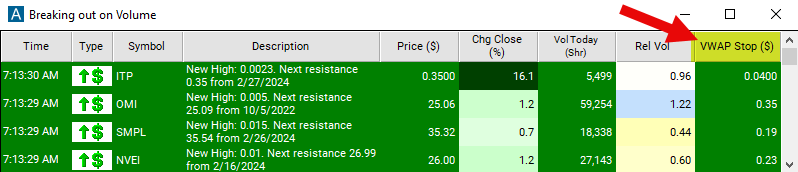
Streaming Alerts check the VWAP Stop filter the moment each alert fires, and Top Lists can sort by it.
How Trade Ideas finds it: set the max value to $1 to see stocks with a VWAP stop level of $1 or less. See Trade Ideas plans and pricing to run it live.
How the VWAP Stop filter works
This is Trade Ideas adaptive stock algorithm looking at the high and low of any given stock along with near-term anchored VWAP to come up with calculated risk levels. This filter generates a specific dollar value indicating a recommended stop level positioned outside the VWAP.
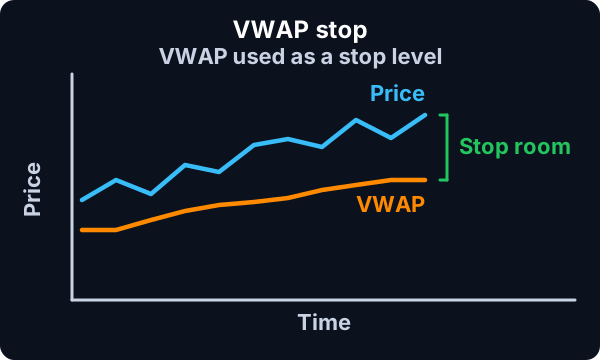
VWAP Stop filter settings
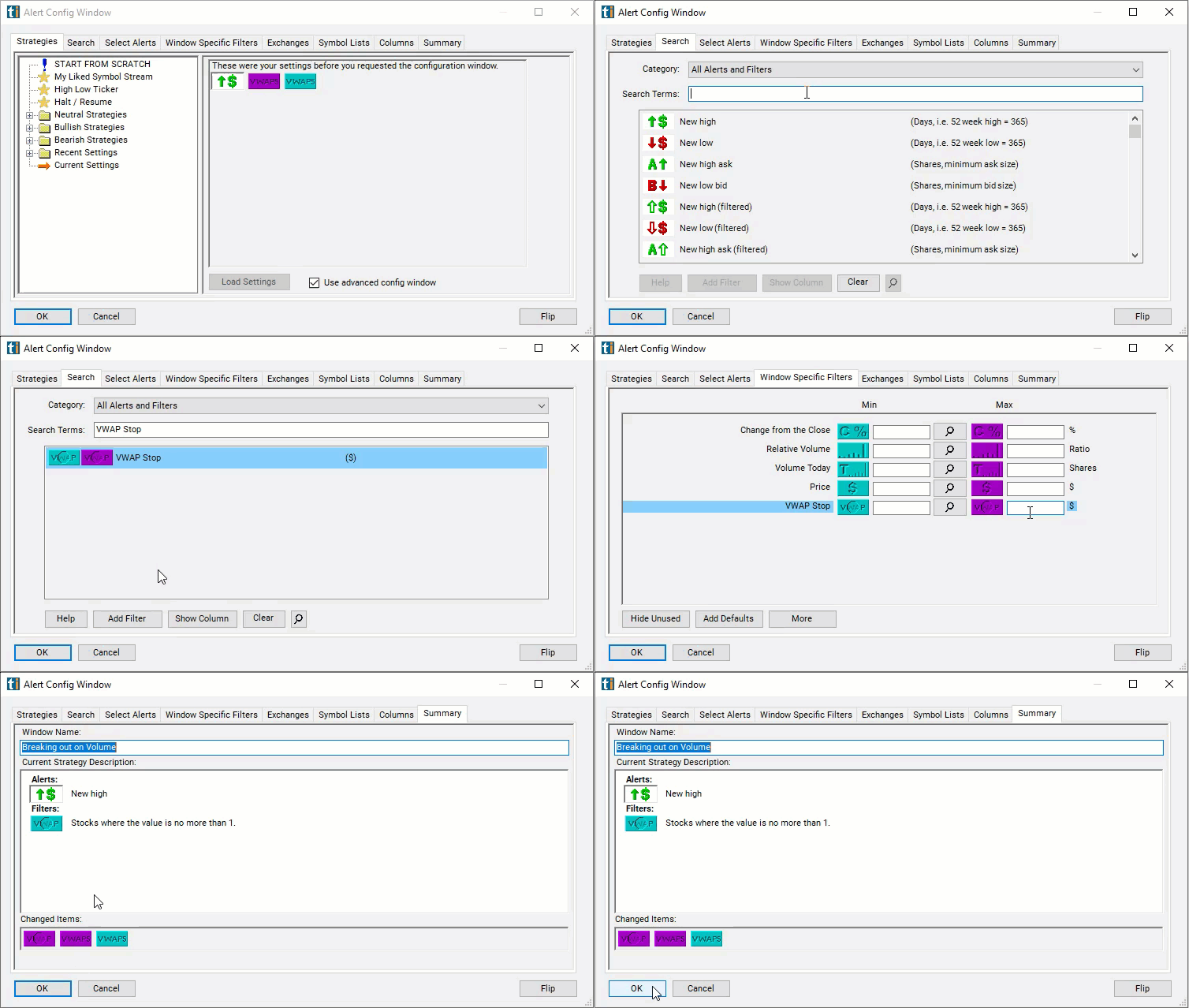
The settings of each Trade Ideas filter are defined in the Window Specific Filters Tab located in the Configuration Window of your Alert or Top List (Screener) window.
Here is how to setup the filter in your configuration window:
- Set the max value to $1 to see stocks with a VWAP stop level of $1 or less.
Using the VWAP Stop Filter
Several trading strategies can be employed with the VWAP Stop filter. Here are a few examples:
- Trend Trading: Traders may use the VWAP stop filter to confirm trends. For example, if the price consistently trades above the VWAP and the VWAP is sloping upward, traders may look for buying opportunities with stop levels below the VWAP to manage risk in case of a reversal.
- Mean Reversion: Conversely, traders may use the VWAP stop filter to identify mean reversion opportunities. If the price deviates significantly from the VWAP, indicating overbought or oversold conditions, traders may take contrarian positions with stop levels set on the opposite side of the VWAP.
- Breakout Trading: During periods of consolidation or range-bound trading, traders may use the VWAP stop filter to identify breakout opportunities. They may place stop levels outside the VWAP to capitalize on potential momentum shifts following a breakout from the trading range.
Filters to combine with VWAP Stop
Alerts to pair with the VWAP Stop filter
Categories
FAQ
Where should I put my stop on a VWAP trade?
Add the VWAP Stop filter (VWAPStop) to a Trade Ideas Streaming Alerts or Top List (Screener) window. Set the max value to $1 to see stocks with a VWAP stop level of $1 or less.
What is the VWAP Stop filter?
VWAP Stop is a Trade Ideas adaptive algorithm that looks at a stock's high and low along with near-term anchored VWAP to produce a stop level in dollars, placed outside the VWAP.
How do I set a stop loss using VWAP?
Use the VWAP Stop filter (VWAPStop) in Trade Ideas Streaming Alerts and Top Lists to get a recommended stop level for each stock, positioned outside its VWAP. VWAP Stop is a Trade Ideas adaptive algorithm that looks at a stock's high and low along with near-term anchored VWAP to produce a stop level in dollars, placed outside the VWAP.