







Alert & Filter Category
NYSE Listed Stock Alerts
Buy and Sell Imbalances, Crossed Markets, Specialist Prints
Find NYSE buy and sell imbalances, markets crossing up or down, and prints above the specialist's offer or below the specialist's bid on exchange-listed stocks, as they happen, with Trade Ideas Streaming Alerts (Scanner).
Every setup in this group, in real time.
Free account, just an email. No card. Live access for a limited time. See plans & pricing.
Searching for a NYSE imbalance scanner or a market-on-close imbalance screener? In Trade Ideas, this is Streaming Alerts: the imbalance and specialist alerts fire on listed stocks only.
Streaming Alerts push each Listed alert the moment it fires.
Key point
The Listed category groups six alerts that depend on exchange-listed (NYSE and AMEX) market structure: the NYSE buy and sell imbalance alerts, market crossed up and down, and trading above or below the specialist. A buy imbalance means more market-on-close orders are trying to buy a stock than sell it.
How Trade Ideas finds it: NYSE Buy Imbalance Alert (NYSEBI): by default, the NYSE buy imbalance alert will appear when there are more people trying to buy a stock than are trying sell the stock. Trading Above Specialist Alert (TRAS): by default, the trading above specialist alert appears when a print is above the specialist's offer.
Find NYSE imbalances and listed-stock alerts in real time
NYSE buy and sell imbalances
Market-on-close order imbalances. Find NYSE stocks with a market-on-close buy imbalance near the end of the day. NYSE Buy Imbalance (NYSEBI) is based on MOC order data.
Alerts: NYSE Buy Imbalance Alert (NYSEBI) · NYSE Sell Imbalance Alert (NYSESI)
Prints above or below the specialist
Subsets of Trading Above and Trading Below. Find NYSE and AMEX stocks printing above the specialist's offer in regular hours. Trading Above Specialist (TRAS) is a subset of Trading Above.
Alerts: Trading Above Specialist Alert (TRAS) · Trading Below Specialist Alert (TRBS)
Markets crossing up or down
The bid rising above the ask, or the reverse. How Trade Ideas finds it: on the Market Crossed Up Alert (MCU) page, by default, the market crossed up alert reports when the bid price for a stock rises above the ask price.
Alerts: Market Crossed Up Alert (MCU) · Market Crossed Down Alert (MCD)
All 6 Listed alerts
Market crossed up
- Market Crossed Up Alert (MCU): Find stocks where the bid just crossed above the ask, as it happens. Market Crossed Up (MCU) reports the first cross in each group to cut noise.
Market crossed down
- Market Crossed Down Alert (MCD): Find stocks where the ask just crossed below the bid, as it happens. Market Crossed Down (MCD) reports the first cross in each group to cut noise.
Trading above specialist
- Trading Above Specialist Alert (TRAS): Find NYSE and AMEX stocks printing above the specialist's offer in regular hours. Trading Above Specialist (TRAS) is a subset of Trading Above.
Trading below specialist
- Trading Below Specialist Alert (TRBS): Find NYSE and AMEX stocks printing below the specialist's bid in regular hours. Trading Below Specialist (TRBS) is a subset of Trading Below.
NYSE buy imbalance
- NYSE Buy Imbalance Alert (NYSEBI): Find NYSE stocks with a market-on-close buy imbalance near the end of the day. NYSE Buy Imbalance (NYSEBI) is based on MOC order data.
NYSE sell imbalance
- NYSE Sell Imbalance Alert (NYSESI): Find NYSE stocks with a market-on-close sell imbalance near the end of the day. NYSE Sell Imbalance (NYSESI) is based on MOC order data.
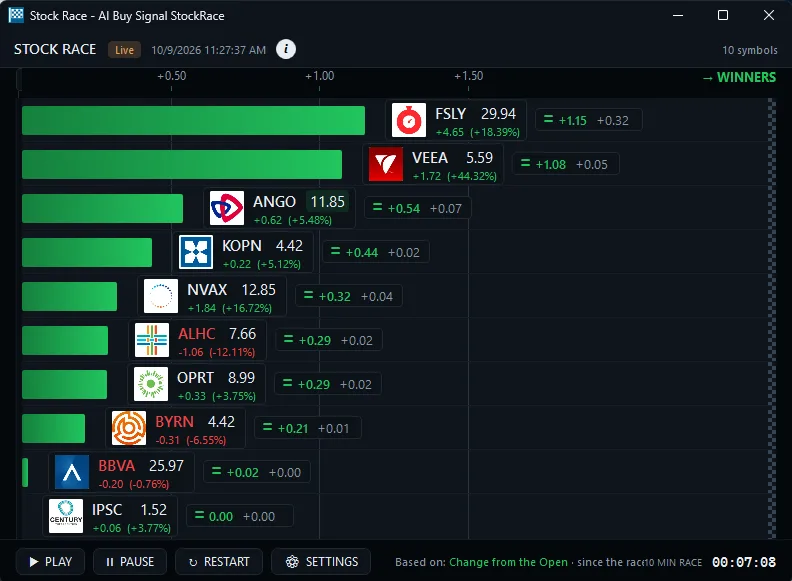
Filters to narrow Listed alerts
- Spread Filter (Spread): Find stocks with a tight bid-ask spread, or skip wide-spread stocks. The Spread filter measures the gap between bid and ask in pennies (10 = $0.10).
- Bid Size Filter (BS): Find stocks with a large bid size, where buyers are bidding for big share counts at the best bid. Set a minimum such as 1,000 shares in the Bid Size filter.
- Ask Size Filter (AS): Find stocks with a large or small ask size, the number of shares sellers are offering at the best ask. Set a range such as 200 to 1,000 shares.
- Price Filter (Price): Find stocks under $5, under $10, or between $5 and $100 that are moving now. The Price filter screens by last print, with no smoothing or averaging.
- Average Daily Volume (10 day) Filter (Vol): Find stocks with high average daily volume over the last ten days, such as 250,000+ shares a day. Screen out thinly traded stocks before you trade.
Test it before you trade it

Don’t roll the dice. Test the odds. OddsMaker · TI Premium
Run any Listed setup through OddsMakerTI Premium, the Trade Ideas backtesting tool: event-based backtesting across thousands of stocks, with no coding. Prefer finished trade ideas to building your own? Holly, the Trade Ideas AI, publishes its own signals: Holly AI signalsTI Premium.
Related categories
- Bid and Ask Stock Alerts (4 shared)
- Single Print Stock Alerts (2 shared)
- All alert and filter categories
FAQ
Which NYSE stocks have a buy imbalance into the close today?
Turn on the NYSE Buy Imbalance Alert (NYSEBI) in Trade Ideas Streaming Alerts. By default, the NYSE buy imbalance alert will appear when there are more people trying to buy a stock than are trying sell the stock. Related: NYSE Sell Imbalance Alert (NYSESI).
What are Listed alerts?
The Listed category groups six alerts that depend on exchange-listed (NYSE and AMEX) market structure: the NYSE buy and sell imbalance alerts, market crossed up and down, and trading above or below the specialist. A buy imbalance means more market-on-close orders are trying to buy a stock than sell it.
How do I get real-time alerts for NYSE closing imbalances?
Use the Trading Above Specialist Alert (TRAS). By default, the trading above specialist alert appears when a print is above the specialist's offer.
How many alerts are in the Listed category?
The Listed category has 6 alerts. Each one links to its own help page with default settings and examples.
Is there a NYSE imbalance scanner that works in real time?
Yes. In Trade Ideas, it is Streaming Alerts: the imbalance and specialist alerts fire on listed stocks only. Each alert reaches you the moment it fires, not on the next refresh.
Can I backtest Listed alerts before I trade them?
Yes. OddsMakerTI Premium, the Trade Ideas backtesting tool, runs event-based backtests on alert-based strategies across thousands of stocks, with no coding. Pick a Listed alert as the entry, add filters, and see how the strategy would have done.