







 MCU
▲ Bullish
MCU
▲ Bullish
Streaming Alert (Scanner)
Market Crossed Up Alert (MCU)
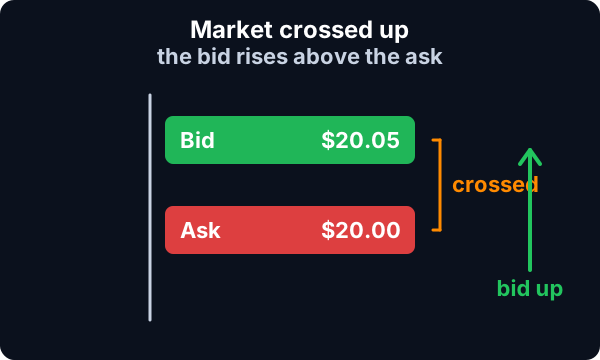
Find stocks where the bid rises above the ask in real time with Trade Ideas Streaming Alerts (Scanner). Market crossed up is when the bid rises above the ask, a sign that demand is outrunning supply at the current price.
Watch the bid and ask as they shift.
Free account, just an email. No card. Live access for a limited time.
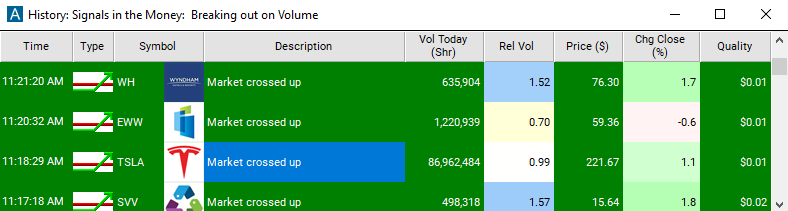
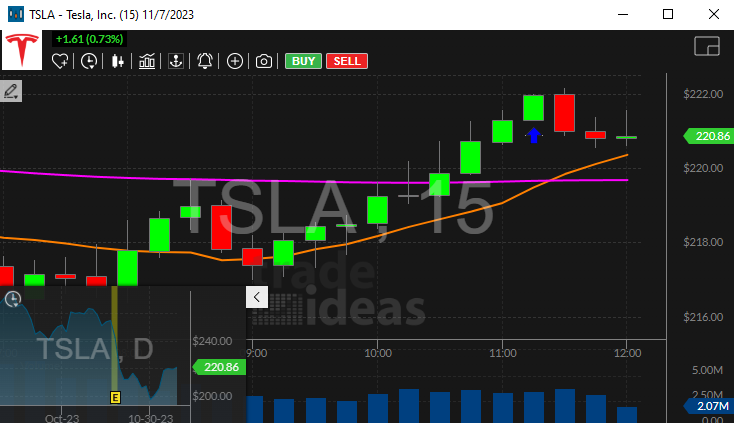
Streaming Alerts push each Market Crossed Up alert the moment it triggers.
How Trade Ideas finds it: by default, the market crossed up alert reports when the bid price for a stock rises above the ask price. See Trade Ideas plans and pricing to run it live.
How the Market Crossed Up alert works
Market crossed up would be when the bid rises above the ask indicating a bullish move as the demand of the stock is exceeding the supply at the current level. These conditions occur when the stock is unusually active and often signal a turning point. These alerts will not appear every time the market is crossed. Crosses often appear in groups.
Key point
The alerts server will filter these, and report the first crossing in each group. It will report new alerts only if the size of the cross grows, or if the market has been uncrossed for several minutes before crossing again. Some stocks, particularly the highest volume stocks, are crossed on a regular basis. The alerts server may filter out most or all of the alerts for these stocks.
In some cases the alert server will describe the alert as "up" or "down". This distinction is based on the primary market. The assumption is that the primary market does not react as quickly as the ECNs. So if the bid on an ECN is higher than the specialist's offer on an NYSE stock, many traders assume the price will move up soon.
Keep in mind
Note: These alerts are only intended to highlight stocks which are doing interesting things. A crossed market is often a leading indicator of other activities. These are not intended for arbitrage. Crossed markets typically last for only a second or two, and disappear before most traders can take advantage of them.
Default settings
By default, the market crossed up alert reports when the bid price for a stock rises above the ask price. The alerts server will report the first crossing in each group.
Custom settings
Trader tip
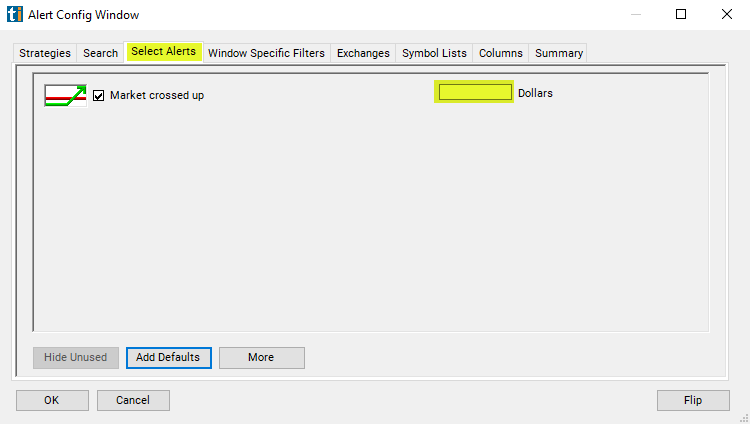
For 'Market Crossed Up' alerts, you have the option to use an alert specific filter. This filter is located immediately to the right of the corresponding alert and is always optional. You can decide to leave it blank if you want to receive more alerts, or you can fill it in to restrict the number of alerts you receive.
This filter allows you to specify the quality of the alert. When you set a higher number for this filter, you are telling the alerts server to display only alerts that meet a higher quality standard, resulting in fewer alerts being shown.
Settings
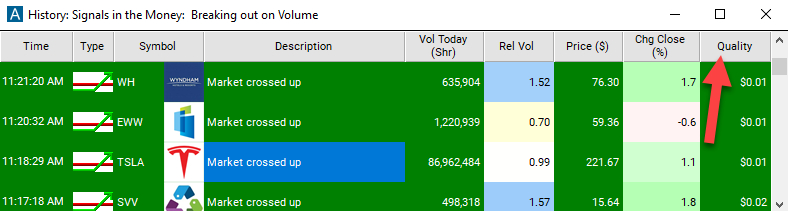
When setting an alert for 'Market Crossed Up', the user can filter the alerts by how far the market was crossed. Leave this blank to see every market crossed alert. Set this to 0.05 to only see when the bid is at least 5 cents higher than the ask.
What the alert shows you
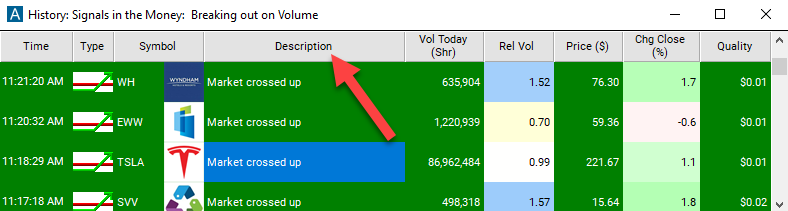
The description column of your scan will give more detail on the alert.
Add the quality column to a scan using the 'Market Crossed Up' alert to see the number of cents crossed up.
Related alerts
Filters to pair with the Market Crossed Up alert
Categories
FAQ
What does it mean when the bid is higher than the ask?
Turn on the Market Crossed Up alert (MCU) in Trade Ideas Streaming Alerts. By default, the market crossed up alert reports when the bid price for a stock rises above the ask price.
What is the Market Crossed Up alert?
Market crossed up is when the bid rises above the ask, a sign that demand is outrunning supply at the current price.
How do I see fewer, higher-quality Market Crossed Up alerts?
Use the optional alert-specific filter immediately to the right of the alert. A higher number tells the alerts server to show only higher-quality alerts, so fewer appear. Leave it blank to see more.