







 RSI60
RSI60
Filter
60 Minute RSI Filter (RSI60)
Find overbought and oversold stocks on the 60-minute RSI in real time with Trade Ideas Streaming Alerts (Scanner) and Top Lists (Screeners). The RSI (60 min) filter reads the Relative Strength Index, a 0-to-100 momentum oscillator, on a 60-minute chart. Above 70 is commonly read as overbought; below 30 as oversold.
See the cross when it happens, not on tomorrow’s chart.
Free account, just an email. No card. Live access for a limited time.
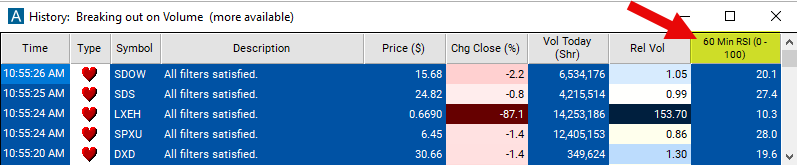
Streaming Alerts check the RSI (60 min) filter the moment each alert fires, and Top Lists can sort by it.
How Trade Ideas finds it: set the max 60 minute RSI to 30 to find stocks which are oversold on the 60 minute time frame. See Trade Ideas plans and pricing to run it live.
How the RSI (60 min) filter works
The 60-minute Relative Strength Index (RSI) filter is a technical analysis tool used to assess the current momentum of a stock over a short timeframe, in this case a 60-minute chart. RSI is a momentum oscillator that measures the speed and change of price movements. It oscillates between 0 and 100 and is calculated using the average gain and average loss over 14 periods.
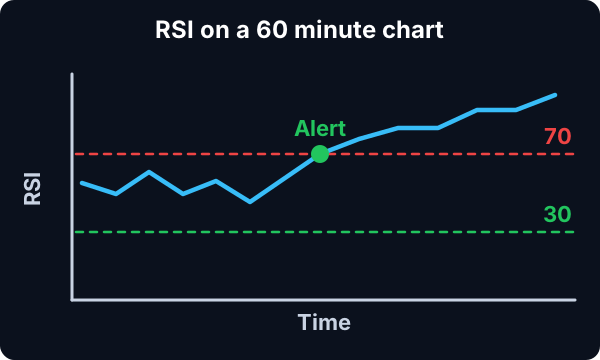
Here's how the 60-minute RSI filter works:
Calculation: The 60-minute RSI is calculated based on the price movements of the stock over the last 60-minute period. It compares the magnitude of recent gains and losses to determine whether the stock is overbought or oversold.
Key point
Interpretation: An RSI value above 70 typically indicates that the stock is overbought, suggesting that it may be due for a pullback or reversal. Conversely, an RSI value below 30 indicates that the stock is oversold, suggesting that it may be poised for a bounce or recovery.
This filter does not use pre- or post-market data.
RSI (60 min) filter settings
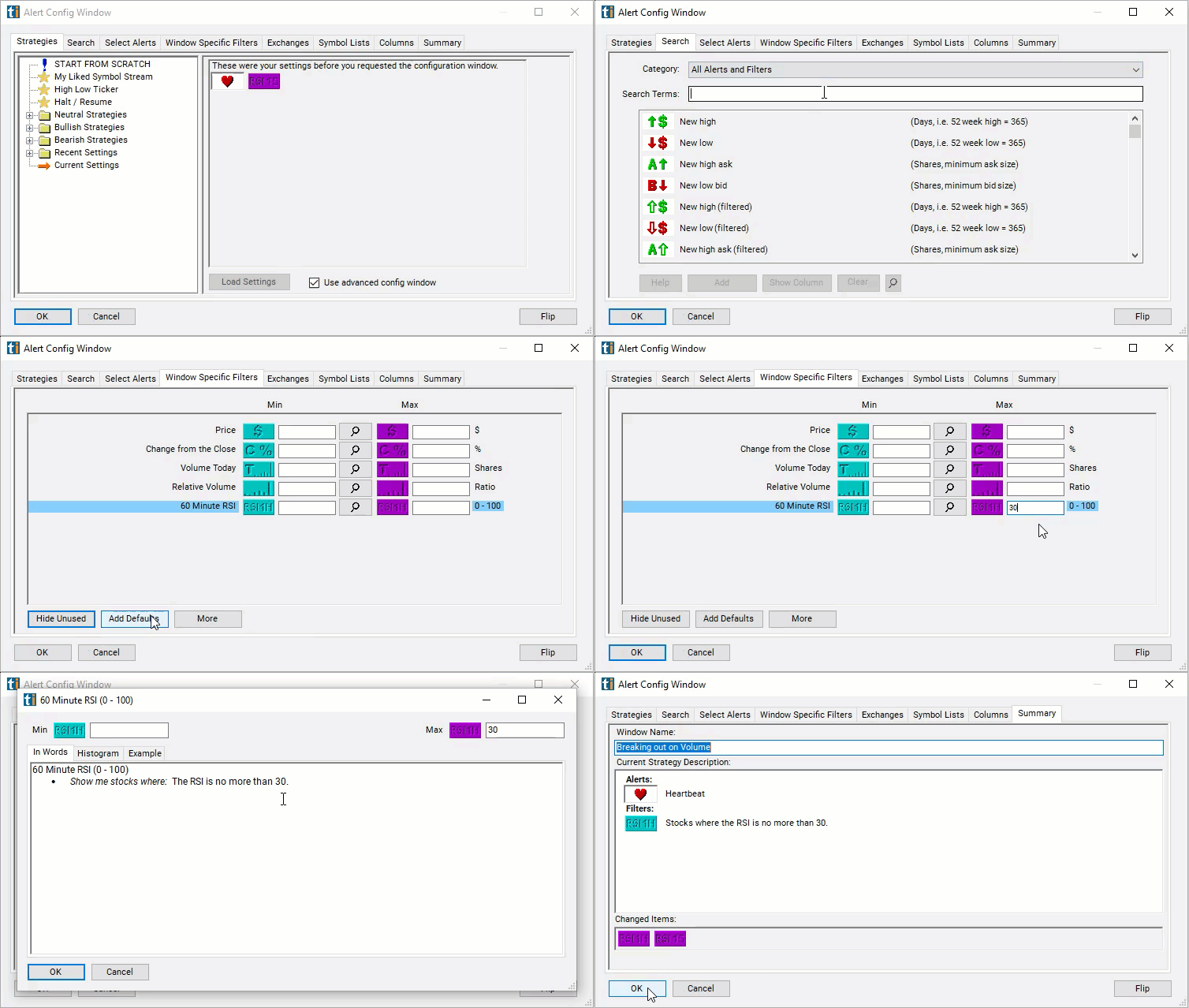
The settings of each Trade Ideas filter are defined in the Window Specific Filters Tab located in the Configuration Window of your Alert or Top List (Screener) window.
Here is how to setup the filter in your configuration window:
- Set the max 60 minute RSI to 30 to find stocks which are oversold on the 60 minute time frame.
Using the RSI (60 min) Filter
Several trading strategies can be employed with the RSI (60 min) filter. Here are a few examples:
- Overbought/Oversold Signals: Traders monitor extreme RSI readings to identify overbought and oversold conditions. When the 60-minute RSI crosses above 70, indicating overbought conditions, traders may consider selling or shorting the stock. Conversely, when the RSI crosses below 30, indicating oversold conditions, traders may consider buying or going long on the stock.
- RSI Divergence: Traders look for divergences between price action and RSI readings. If the price is making new highs while the 60-minute RSI fails to confirm these highs (making lower highs), it could signal potential weakness in the trend. Traders may consider taking a contrarian position, such as selling or shorting the stock.
- RSI Centerline Crosses: Traders monitor RSI crosses of the centerline (50). When the 60-minute RSI crosses above 50, it suggests increasing buying pressure, and traders may consider going long. Conversely, when the RSI crosses below 50, it indicates increasing selling pressure, and traders may consider shorting or selling the stock.
Filters to combine with RSI (60 min)
Alerts to pair with the RSI (60 min) filter
Categories
FAQ
Which stocks are oversold on RSI right now?
Add the RSI (60 min) filter (RSI60) to a Trade Ideas Streaming Alerts or Top List (Screener) window. Set the max 60 minute RSI to 30 to find stocks which are oversold on the 60 minute time frame.
What is the RSI (60 min) filter?
The RSI (60 min) filter reads the Relative Strength Index, a 0-to-100 momentum oscillator, on a 60-minute chart. Above 70 is commonly read as overbought; below 30 as oversold.
How do I scan for overbought stocks intraday?
Use the RSI (60 min) filter (RSI60) in Trade Ideas Streaming Alerts and Top Lists to find overbought and oversold stocks on the 60-minute RSI. The RSI (60 min) filter reads the Relative Strength Index, a 0-to-100 momentum oscillator, on a 60-minute chart.