







 Count
Count
Filter
Count Filter (Count)
Find stocks that keep triggering the same alert today in real time with Trade Ideas Streaming Alerts (Scanner). The Same-Alert Count Today filter is the number of times the server has generated a specific alert type for a symbol today. There is a separate count for each alert type for each symbol, and it resets at midnight.
See the move. Then decide.
Free account, just an email. No card. Live access for a limited time.
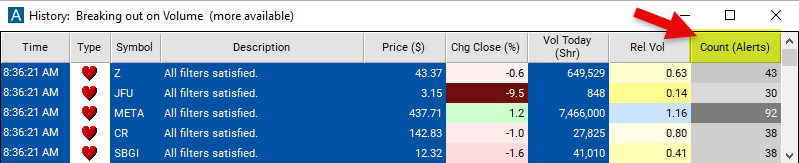
Streaming Alerts check the Count (Alerts Today) filter the moment each alert fires.
How Trade Ideas finds it: set the minimum value to 20 to see only stocks where the number of alerts today is at least 20. See Trade Ideas plans and pricing to run it live.
How the Same-Alert Count Today filter works
This filter enables traders to set criteria for the number of times a specific type of alert has been generated by the server for a particular symbol. There is a separate count for each alert type for each symbol. The users' filters do not affect the count.
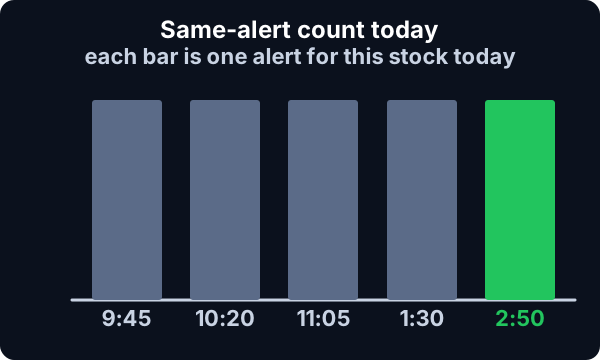
Traders can specify a threshold value for the count column, indicating the minimum or maximum number of alerts they want to include or exclude from their analysis.
The count is reset at midnight.
Same-Alert Count Today filter settings
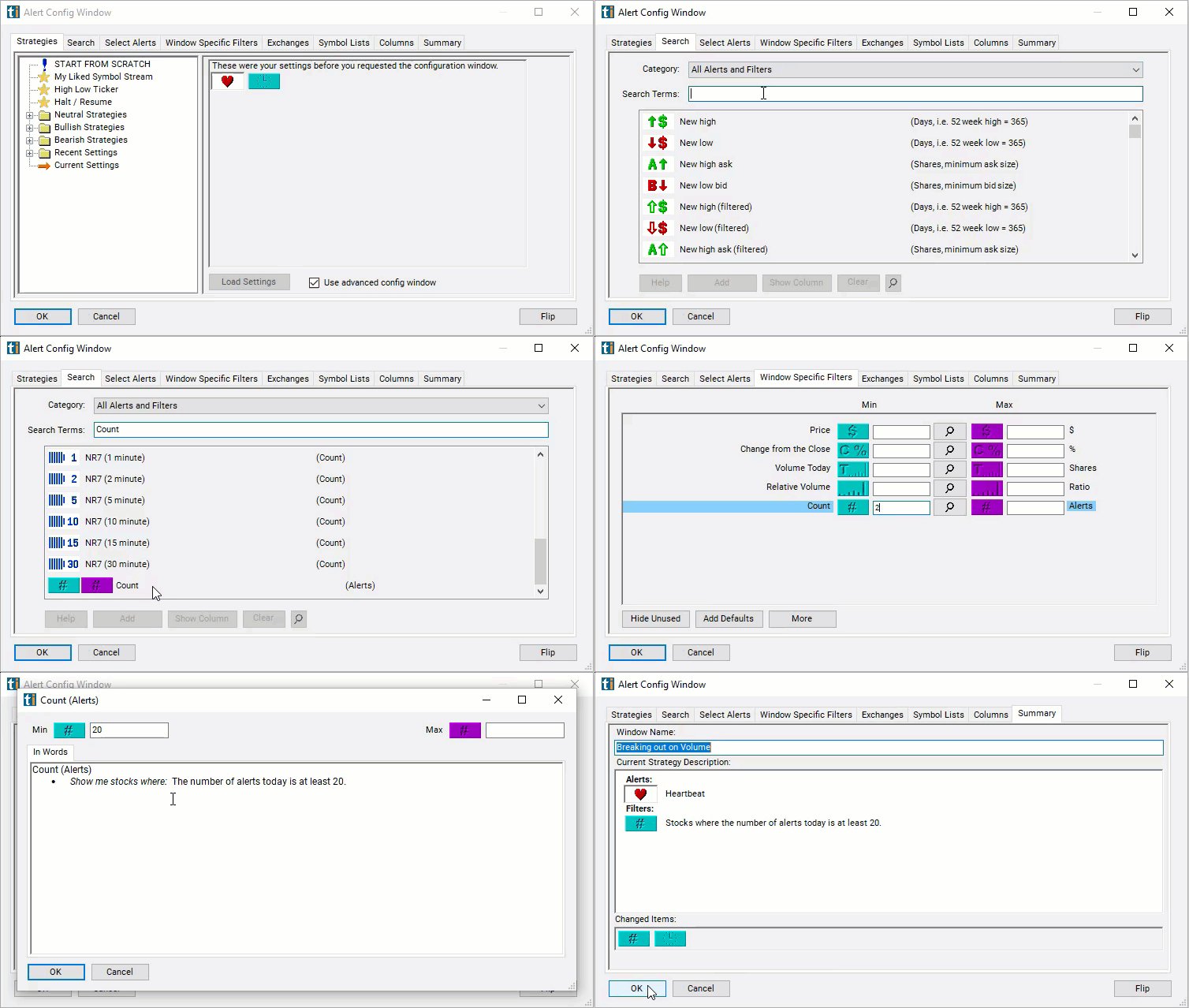
Configuring the "Count" filter is simple and can be done within the Window Specific Filters Tab of the Configuration Window in your Alert/Top List (Screener) Window.
Here's how to set up the filter in your configuration window:
- Set the minimum value to 20 to see only stocks where the number of alerts today is at least 20.
Using the Same-Alert Count Today Filter
The "Count" filter can be used in various trading strategies, including:
- Trend Confirmation: Traders may use the Same-Alert Count Today filter to confirm the strength or direction of a trend identified by other technical indicators. For example, if a stock is in an uptrend according to moving averages or trendlines, traders may look for multiple occurrences of bullish alerts, such as price breakouts or volume surges, to confirm the upward momentum.
- Reversal Signals: Conversely, traders may use the Same-Alert Count Today filter to identify potential reversal signals when the frequency of certain alerts reaches extreme levels. For instance, if a stock has experienced a prolonged uptrend and the count of bearish alerts, such as overbought conditions or negative divergence, significantly increases, it may signal a potential reversal in the trend.
- Volume Confirmation: Traders may use the Same-Alert Count Today filter in conjunction with volume-related alerts to confirm the significance of trading volume in price movements. For example, if a stock experiences multiple occurrences of price breakouts accompanied by high trading volume, traders may interpret it as confirmation of strong buying interest and potential continuation of the trend.
Filters to combine with Same-Alert Count Today
Alerts to pair with the Same-Alert Count Today filter
FAQ
Which stocks keep triggering alerts today?
Add the Same-Alert Count Today filter (Count) to a Trade Ideas Streaming Alerts window. Set the minimum value to 20 to see only stocks where the number of alerts today is at least 20.
What is the Same-Alert Count Today filter?
The Same-Alert Count Today filter is the number of times the server has generated a specific alert type for a symbol today. There is a separate count for each alert type for each symbol, and it resets at midnight.
How do I see only the first alert on a stock each day?
Use the Same-Alert Count Today filter (Count) in Trade Ideas Streaming Alerts to find stocks that keep triggering the same alert today. The Same-Alert Count Today filter is the number of times the server has generated a specific alert type for a symbol today.