







 VS1
VS1
Streaming Alert (Scanner)
1 Minute Volume Spike Alert (VS1)
By Daniel Mirkin, CEO, Trade Ideas. Updated October 2026.
Find stocks with a sudden one-minute volume spike in real time with Trade Ideas Streaming Alerts (Scanner). A 1 minute volume spike is unusual volume in a single one-minute candle, compared with that stock's own baseline for that time of day.
See the crowd arriving before the crowd does.
Free account, just an email. No card. Live access for a limited time.


Streaming Alerts show a 1 minute volume spike the moment that minute's volume jumps past the stock's normal level.
How Trade Ideas finds it: VS1 looks only at one-minute candles and compares each minute's volume to a historical baseline that varies by stock and by time of day. Set a minimum ratio to see only bigger spikes. It works best on stocks that trade a lot; thinly traded names don't have enough history for a clean baseline. See Trade Ideas plans and pricing to run it live.
What is a 1 minute volume spike?
A volume spike is one minute where far more shares trade than usual for that stock at that time. The 1 Minute Volume Spike alert looks only at one minute candles.
It works best on stocks that trade a lot. On thin stocks one big order can set it off.
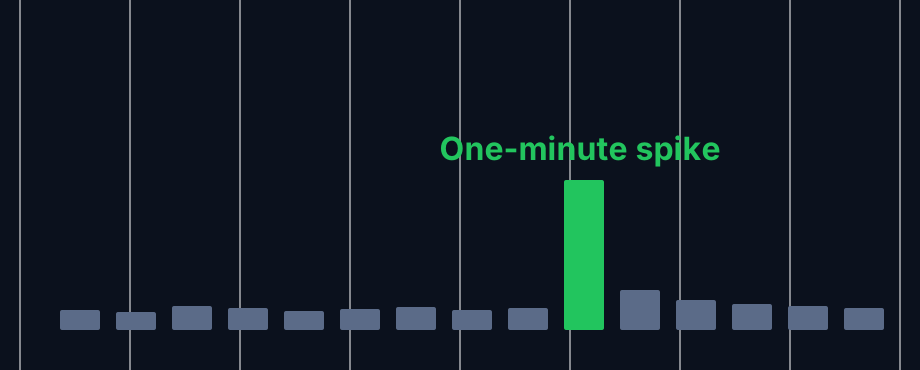
Parts of a volume spike
Quiet minutes
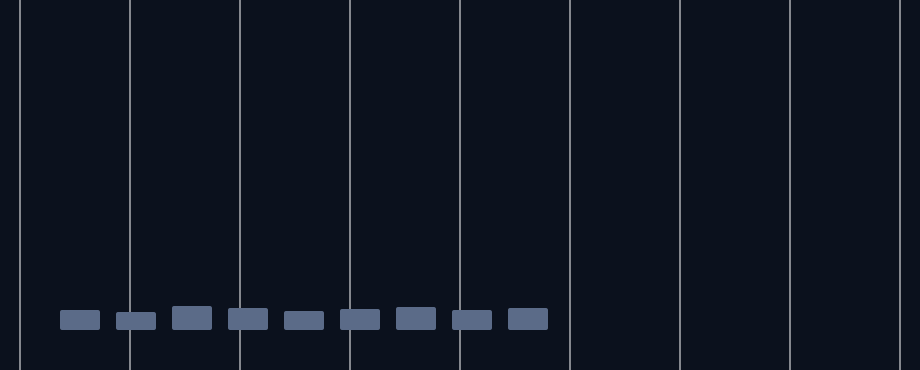
Most minutes trade near the usual level for that stock.
The spike
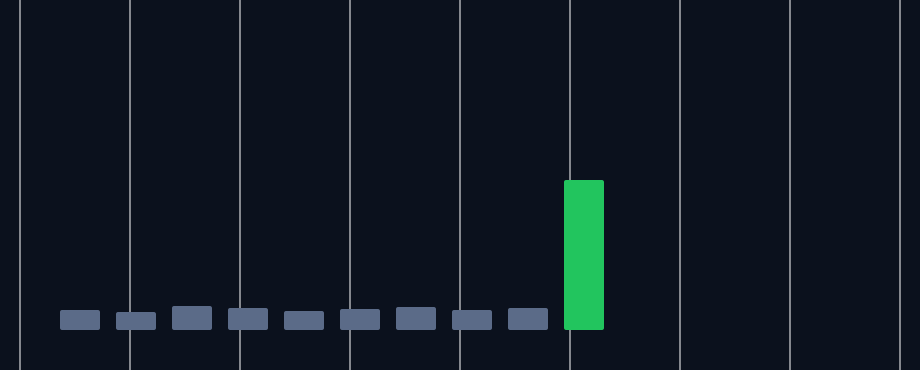
One minute jumps well past normal. The baseline changes by stock and by time of day.
After the spike
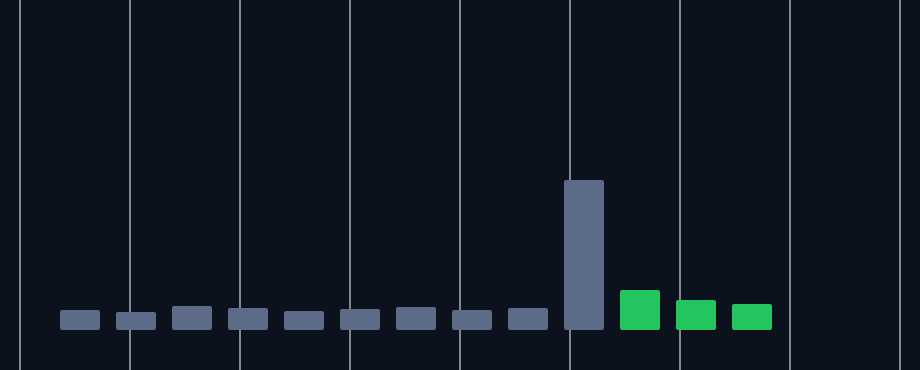
Sometimes volume stays high, sometimes it fades right away. That follow-through is what many traders watch.
How traders use it
Step 1: Let the Trade Ideas alert find it
Turn on the 1 Minute Volume Spike alert (VS1). You can set the minimum volume needed, so you only see spikes that matter to you. See it live in the Web Dashboard.
Step 2: Wait for the trigger
Key point
Look at the price candle that came with the spike. A spike with a big green candle reads very differently from one with a long wick.
Step 3: Entry
Fast traders sometimes act within the same minute. Others wait for the next candle to show direction.
Step 4: Exit
Exits usually key off the spike candle's high or low. It is a common rule of thumb, not a recommendation.
Tips
- Raise the minimum volume setting on busy days.
- Avoid thinly traded stocks with this alert. One print can trigger it.
- A spike near the open or close is common, so watch time of day.
- For a longer view, use High Relative Volume (HRV).
Past results, including backtests, are not indicative of future results.
How the 1 Minute Volume Spike alert works
This alert shows when a stock has an unusual amount of volume. This is similar to the high relative volume alert, but the timeframe is different. This alert only looks at one minute candles.
Settings
Like the high relative volume alert, this compares recent volume for an alert to a historical baseline, and that baseline can vary from one stock to the next and from one time of day to the next. You can set the minimum amount of volume required to set off this alert, as described below. This alert is most useful with stocks that trade a lot.
For thinly traded stocks there is not enough historical data to set up a good baseline. A surprising number of stocks typically trade less than once every minute. For these stocks, almost any print would look unusual. The server attempts to smooth this out, but there is only so much it can do in a one minute time frame.
Key point
If you are looking for stocks like that, you should use our other alerts and filters which work on a longer time frame.
Default settings
By default, the 1 minute volume spike alert will appear when a stock has an unusual amount of volume in a 1 minute time frame. This is relative to the stock's historical baseline for volume.
Custom settings
Settings
For '1 Minute Volume Spike' alerts, you have the option to use an alert specific filter. This filter is located immediately to the right of the corresponding alert and is always optional. You can decide to leave it blank if you want to receive more alerts, or you can fill it in to restrict the number of alerts you receive. This filter allows you to specify the quality of the alert. When you set a higher number for this filter, you are telling the alerts server to display only alerts that meet a higher quality standard, resulting in fewer alerts being shown.
When setting an alert for '1 Minute Volume Spike', the user can set minimum standards, above those built into the alerts server. Each time the server reports an alert, it divides the current value of the property by the historical value for the property. The user can specify a minimum value for this ratio.

What the alert shows you
Key point
The description of the alert will tell you the percentage of volume relative to the stock's historical data.

The quality value on a scan using the "1 Minute Volume Spike" is the 1 minute volume percentage divided by 100.

Filters to pair with the 1 Minute Volume Spike alert
Categories
FAQ
How do I get alerted when a stock has a sudden volume spike?
Turn on the 1 Minute Volume Spike alert (VS1) in Trade Ideas Streaming Alerts. By default, the 1 minute volume spike alert will appear when a stock has an unusual amount of volume in a 1 minute time frame.
What is the 1 Minute Volume Spike alert?
A 1 minute volume spike is unusual volume in a single one-minute candle, compared with that stock's own baseline for that time of day.
How do I see fewer, higher-quality 1 Minute Volume Spike alerts?
Use the optional alert-specific filter immediately to the right of the alert. A higher number tells the alerts server to show only higher-quality alerts, so fewer appear. Leave it blank to see more.
What is a volume spike?
A short burst of trading, here one minute, well above the stock's normal volume.
How is a volume spike different from high relative volume?
The volume spike looks at single one minute candles. HRV looks at a longer stretch.
Can I change the volume threshold?
Yes. The alert lets you set the minimum amount of volume needed.
Which stocks work best with VS1?
Stocks that trade heavily. Thin stocks give noisy results.