







 NR7_5
NR7_5
Streaming Alert (Scanner)
NR7 (5 Minute) Alert (NR7_5)
Find stocks printing an NR7, the narrowest range of the last 7 bars, on the 5-minute chart, in real time, with Trade Ideas Streaming Alerts (Scanner). NR7 means the last candle has the narrowest high-to-low range of the last 7 candles, a sign of shrinking volatility that often comes before a bigger move. It does not predict direction by itself.
Candle patterns as they form.
Free account, just an email. No card. Live access for a limited time.
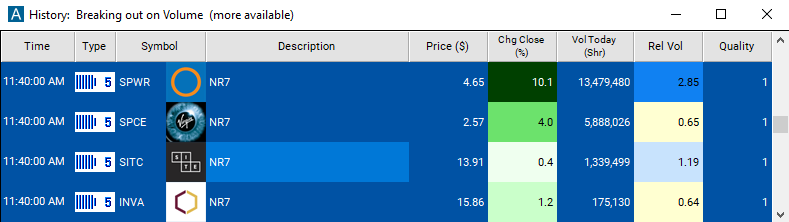
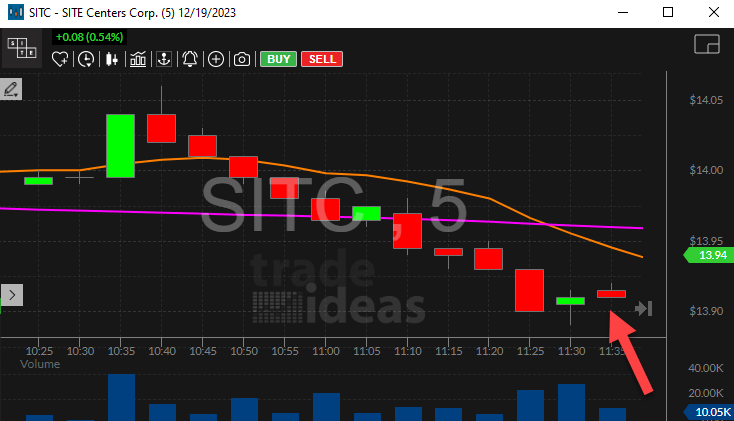
Streaming Alerts push each NR7 (5 Minute) alert the moment the 5 minute candle closes.
How Trade Ideas finds it: by default, the NR7 (5 Minute) alert appears when the last candlestick has the narrowest price range of the last 7 candlesticks on a 5 minute chart. See Trade Ideas plans and pricing to run it live.
How the NR7 (5 Minute) alert works
NR7 is a chart pattern based on traditional candlesticks. NR7 means that the last candlestick has the narrowest price range of the last 7 candlesticks.
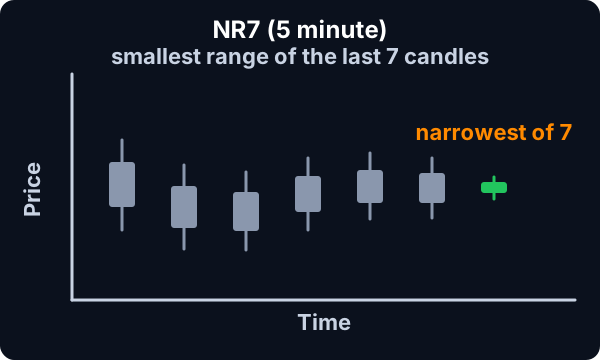
The NR7 pattern shows when a stock’s price shows a short-term pattern of decreasing volatility. In this way NR7 is like a triangle chart pattern, but with more emphasis on the volatility, and less emphasis on the specific shape or direction. In either case the common assumption is that volatility is like a spring. When you push in on it, it has to pop back out. The longer and harder you push, the more explosive the final reaction will be.
Keep in mind
The NR7 pattern does not, by itself, predict which direction a stock will move. People use it to predict which stocks are likely to make a large price move.
Default settings
By default, the NR7 (5 Minute) alert appears when the last candlestick has the narrowest price range of the last 7 candlesticks on a 5 minute chart.
Custom settings
Settings
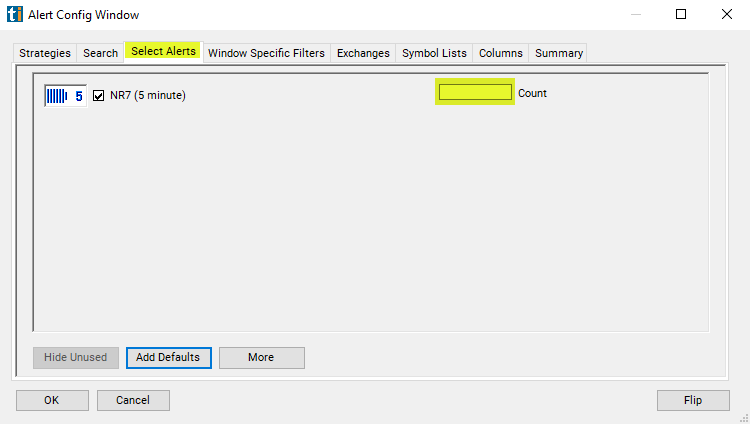
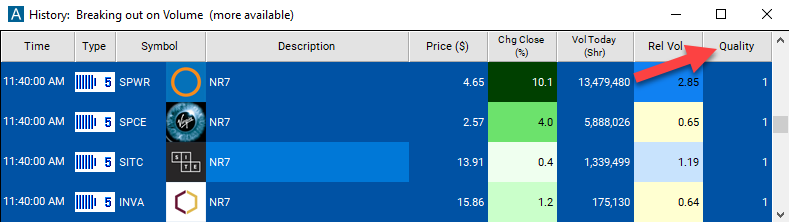
For 'NR7 (5 Minute)' alerts, you have the option to use an alert specific filter. This filter is located immediately to the right of the corresponding alert and is always optional. You can decide to leave it blank if you want to receive more alerts, or you can fill it in to restrict the number of alerts you receive. This filter allows you to specify the quality of the alert. When you set a higher number for this filter, you are telling the alerts server to display only alerts that meet a higher quality standard, resulting in fewer alerts being shown.
When setting an alert for 'NR7 (5 Minute)', the user can filter this by the number of consecutive NR7 patterns on the stock chart. This will always be at least one, or there wouldn't have been an alert to start with. Set this filter to 2 to see only NR7-2 stock patterns.
What the alert shows you
Key point
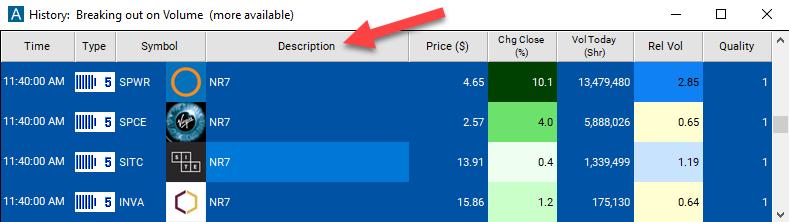
The description column will give you more details on this alert. A description of “NR7-2” means that the stock chart shows an NR7 pattern for the last candlestick, and for the previous candlestick. “NR7-3”, “NR7-4”, etc., are all defined in the same way.
The quality value on a scan using the 'NR7 (5 Minute)' alert represents the number of consecutive NR7 patterns on the stock chart.
Related alerts
Filters to pair with the NR7 (5 Minute) alert
Categories
FAQ
Which stocks have an NR7 narrow range bar on the 5 minute chart?
Turn on the NR7 (5 Minute) alert (NR7_5) in Trade Ideas Streaming Alerts. By default, the NR7 (5 Minute) alert appears when the last candlestick has the narrowest price range of the last 7 candlesticks on a 5 minute chart.
What is the NR7 (5 Minute) alert?
NR7 means the last candle has the narrowest high-to-low range of the last 7 candles, a sign of shrinking volatility that often comes before a bigger move. It does not predict direction by itself.
How do I see fewer, higher-quality NR7 (5 Minute) alerts?
Use the optional alert-specific filter immediately to the right of the alert. A higher number tells the alerts server to show only higher-quality alerts, so fewer appear. Leave it blank to see more.