





Time To 10-Day Median Low
Table of Contents
Understanding the Time to 10 Day Median Low Filter
The "Time to 10 Day Median Low" filter measures how close the current time is to the median time a stock typically makes its daily low over the last 10 trading days.
A positive value means the stock’s typical low time is still ahead. A negative value means the stock’s typical low time has already passed.
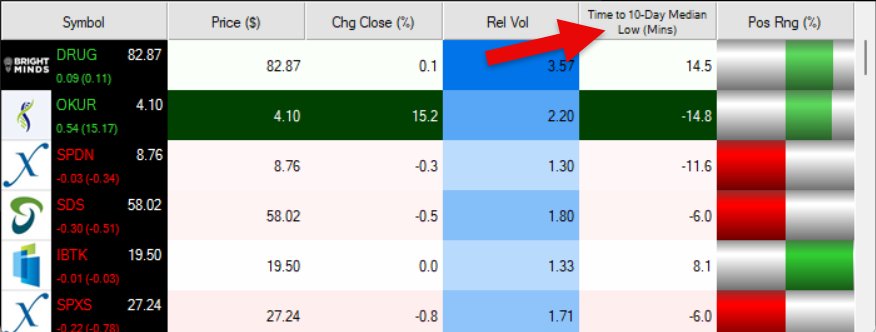
You can use this filter to identify stocks that are approaching or have recently passed the time they historically tend to make daily lows.
Time to 10 Day Median Low Filter Settings
The settings of each Trade Ideas filter are defined in the Window Specific Filters Tab located in the Configuration Window of your Alert/Top List Window.
Here is how to setup the filter in your configuration window:
- Setting Min to -15 and Max to 15 will return stocks trading within 15 minutes before or after their median 10 day low time.
- Tighter ranges will return fewer but more precise alerts.
- Wider ranges will return more alerts, including stocks approaching or recently passing their median low time.
These filters work best during regular trading hours and update in real time.
Filter Info for Time To 10-Day Median Low [LowTOD10Med]
- description = Time to 10-Day Median Low
- keywords = Highs and Lows Changes Daily
- units = Minutes
- format = 1
- toplistable = 1
- parent_code =