







 RD
▼ Bearish
RD
▼ Bearish
Streaming Alert (Scanner)
Running Down Alert (RD)
Find stocks running down fast in real time with Trade Ideas Streaming Alerts (Scanner). Running down means a stock is trading down much faster than expected for its volatility. This version works on a time scale of about one minute and only fires on a clear, statistically validated move, with bad prints filtered out.
Stocks making a run, up and down.
Free account, just an email. No card. Live access for a limited time.
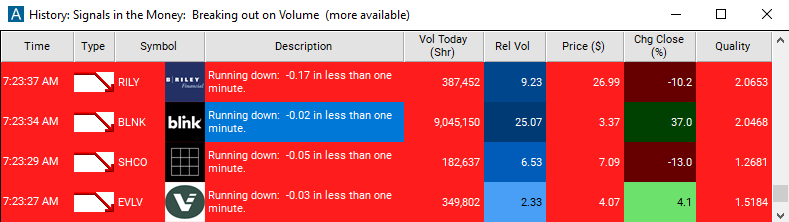
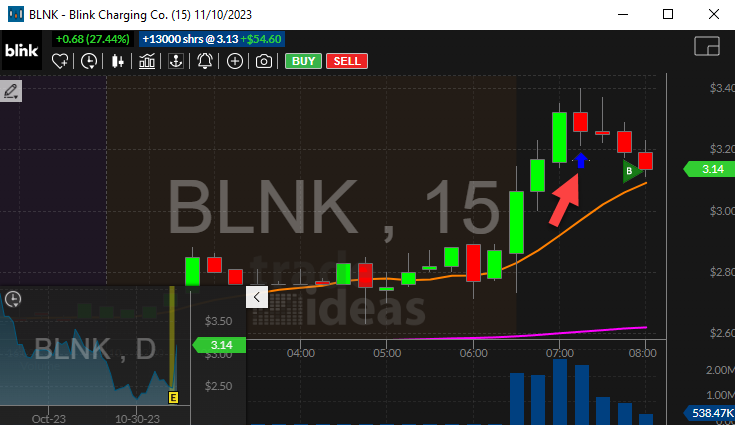
Streaming Alerts push each Running Down alert the moment it triggers.
How Trade Ideas finds it: by default, the running down alert will appear when a stock price is moving down very quickly. See Trade Ideas plans and pricing to run it live.
How the Running Down alert works
Trader tip
This alert will only be reported when the price makes a clear, statistically validated move downwards. It will not be reported every time the price of the last print moves by the price displayed on the screen. Otherwise, random noise would cause this alert to be reported more often. To assist daytraders, this alert works on a time scale of approximately one minute. Bad prints are filtered out, and will not cause this alert to appear.
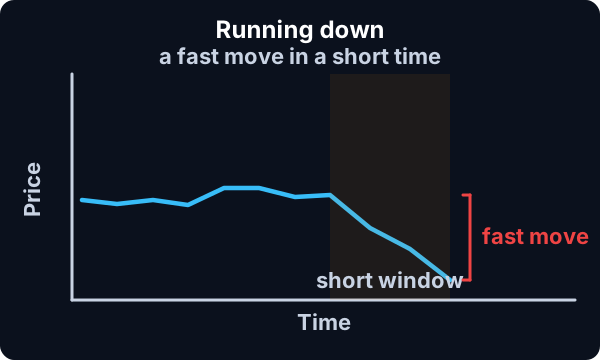
Default settings
By default, the running down alert will appear when a stock price is moving down very quickly. The exact number of basis points required to set off this alert depends on the volatility of the underlying security.
Custom settings
Trader tip
For 'Running Down' alerts, you have the option to use an alert specific filter. This filter is located immediately to the right of the corresponding alert and is always optional. You can decide to leave it blank if you want to receive more alerts, or you can fill it in to restrict the number of alerts you receive.
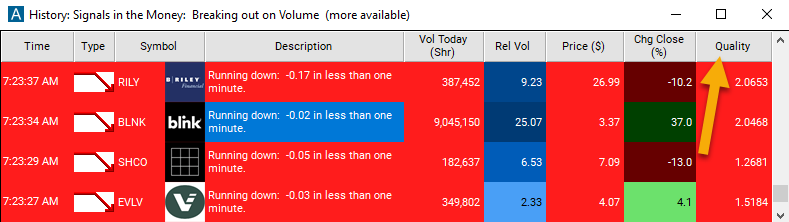
This filter allows you to specify the quality of the alert. When you set a higher number for this filter, you are telling the alerts server to display only alerts that meet a higher quality standard, resulting in fewer alerts being shown.
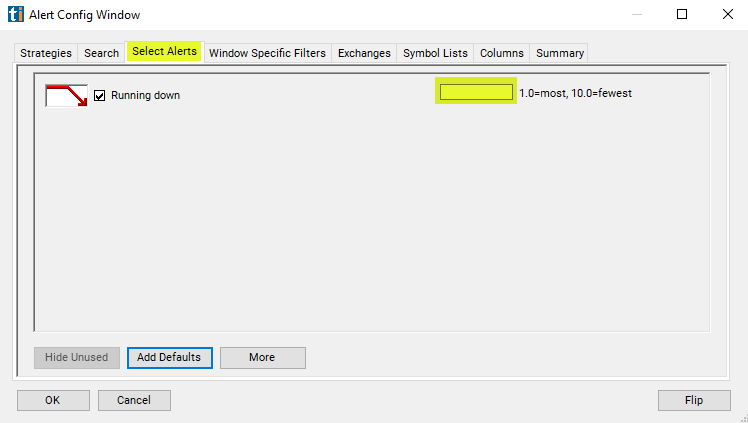
When setting an alert for 'Running Down', users can filter the short term running up alert based on how exceptional the chart pattern is.
Settings
The alerts server continuously measures the momentum of the stock (in dollars per minute) and compares that to the stock's volatility. Based on the volatility of the stock, the alerts server determines a minimum threshold. Setting this filter to 1 displays all alerts that meet this minimum threshold. Setting this filter to 1.5 displays only the stocks with momentum at least 50% greater than the minimum required by the alerts server. Larger values require proportionally more momentum.
The default for this filter is to allow all alerts. A value less than or equal to 1 means the same thing. A value of 4 discards approximately 2/3 of the alerts, and only shows the most extraordinary 1/3 of the alerts. A value of 10 discarded approximate 99% of the alerts. There is no absolute maximum value."0.60".
What the alert shows you
Settings
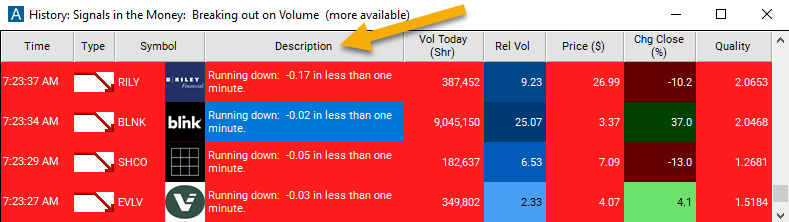
The description of each alert includes the size of the move. Roughly speaking, this number shows how much the price has changed in the last minute. However, the alert will be reported as soon as the underlying security meets the minimum criteria, which may take less than one minute. Often the price continues to run in the same direction, so the final size will be larger than the size reported.
Using Trade Ideas proprietary algorithm and referencing a stocks historical baseline for movement, the quality value can start at 1 and have no maximum value. A value of 4 shows the most extraordinary 1/3 of the alerts. A value of 10 ensures only the top 1% of the alerts will be triggered.
Related alerts
Filters to pair with the Running Down alert
Categories
FAQ
Which stocks are moving down fastest right now?
Turn on the Running Down alert (RD) in Trade Ideas Streaming Alerts. By default, the running down alert will appear when a stock price is moving down very quickly.
What is the Running Down alert?
Running down means a stock is trading down much faster than expected for its volatility. This version works on a time scale of about one minute and only fires on a clear, statistically validated move, with bad prints filtered out.
How do I see fewer, higher-quality Running Down alerts?
Use the optional alert-specific filter immediately to the right of the alert. A higher number tells the alerts server to show only higher-quality alerts, so fewer appear. Leave it blank to see more.